Last updated: November 3, 2026
What does it mean to duplicate agents?
Duplicating an agent creates a copy of its setup as a new agent in the editor. The copy includes the original’s instructions, model, tools, connected apps, and schedules, so you can reuse or adjust an agent without building it again. For example, you can duplicate an agent that you set up for one site, then change its instructions for another site.
What you'll need
Duplicate an agent
Click Agents in the sidebar.
Click on the agent card and select Duplicate.
The copy opens with the name “<agent name> (copy)” and the original settings. In the editor for the new agent, make any changes you need.
Click Save on the upper-right of the page.
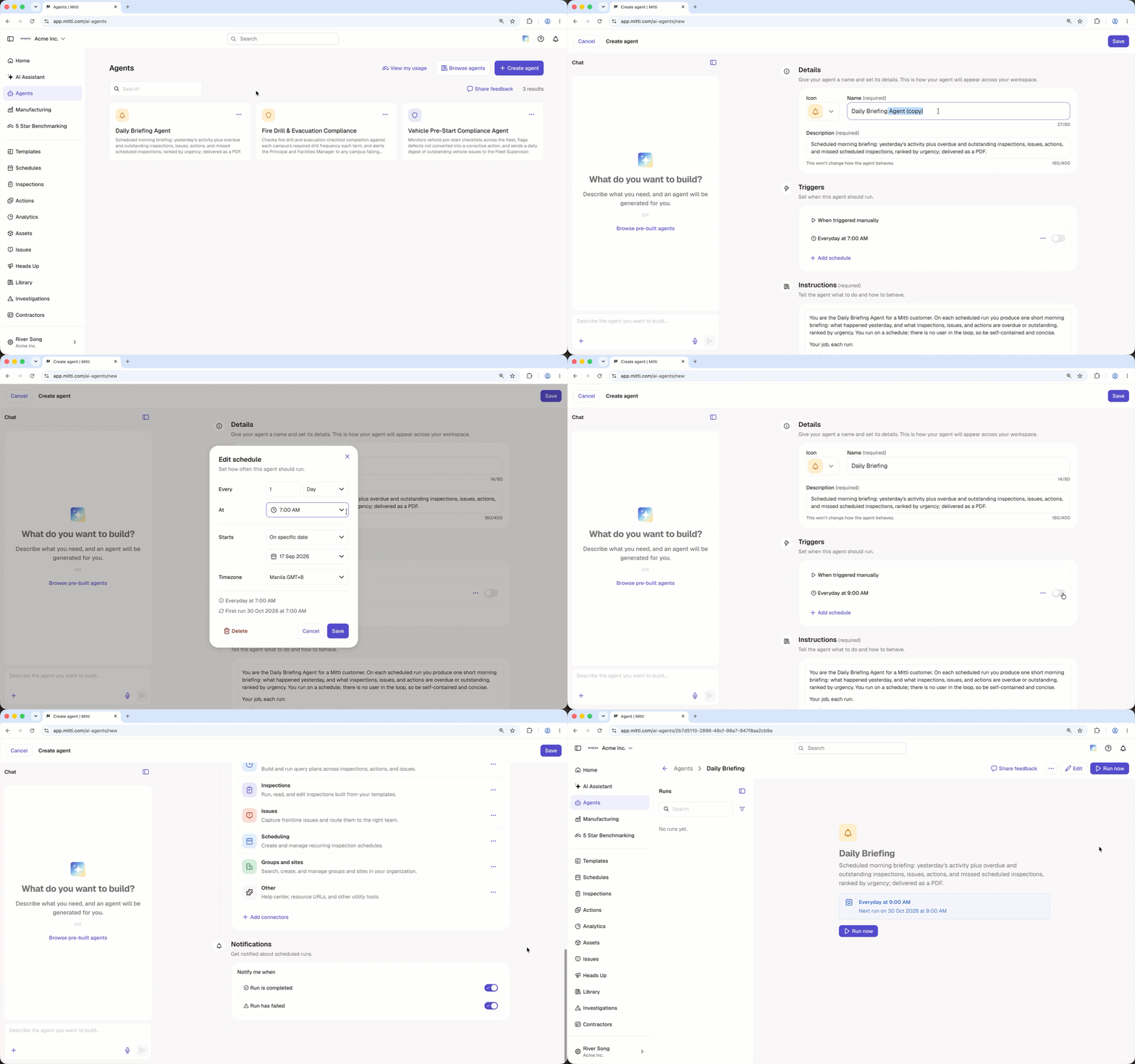
The duplicated agent includes the original agent’s settings and schedules. Each schedule stays on or off, as it is in the original agent. Nothing is saved or run until you save the duplicated agent.
Frequently asked questions
Need more help?
Was this page helpful?