Zuletzt aktualisiert: 8. Juni 2026
What happens when you delete a file from an action?
When you delete a file from an action, it's permanently removed from the action and can't be recovered. The action's activity timeline records who deleted it and when, so there's still a traceable history of what changed. This keeps action records accurate so your team can assign, follow up on, and complete actions with confidence.
Was Sie brauchen
Wenn Sie über die Berechtigung "Übergeordnete Berechtigungen: Alle Daten verwalten" verfügen, können Sie auch Dateien löschen, die von anderen Benutzern der Organisation im Rahmen von Aktionen hochgeladen wurden.
Das Löschen ist nicht rückgängig zu machen, und wir können dauerhaft gelöschte Objekte nicht wiederherstellen. Vor dem Löschen ist immer eine Bestätigung erforderlich, um sicherzustellen, dass Sie nicht versehentlich das falsche Objekt löschen.
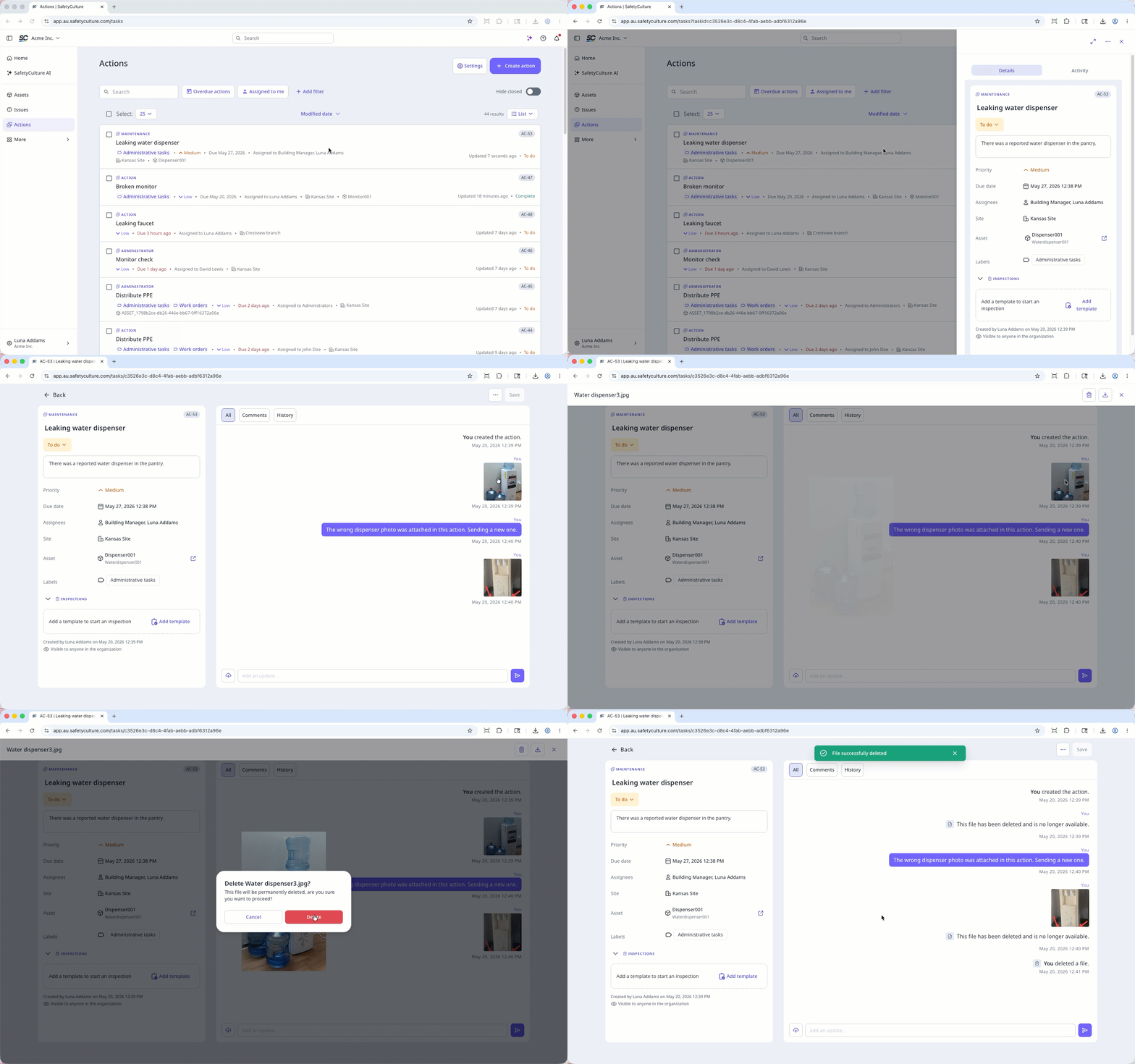
Delete a file in an action
Select Aktionen in the sidebar or in Mehr.
Select between Liste, Kalender, or Board on the upper-right of the page to view the actions.
Select an action.
Click Aktivität on the upper-right of the page.
Click the file to preview.
Click on the upper-right of the media preview.
In the pop-up window, click Löschen.
Open the mobile app.
Tap Aktionen in the navigation bar or select it from Mehr.
Tap Aktivität tab at the top of your screen.
Tap the file you want to delete.
Tap at the bottom of your screen.
In the pop-up window, tap Löschen to confirm.

Häufig gestellte Fragen
Brauchen Sie weitere Hilfe?
War diese Seite hilfreich?
