Zuletzt aktualisiert: 24. September 2026
Bitte beachten Sie, dass sich diese Funktion derzeit im frühen Zugriffs-Modus befindet. Wenn Sie daran interessiert sind, wenden Sie sich bitte an Ihren Kundenbetreuer, und fragen Sie, ob Ihre Organisation daran teilnehmen kann.
What does it mean to link sites to files and folders?
When you link sites to a file or folder in Documents, that file or folder appears on the profile of every site you link it to. The file or folder stays in Documents, so linking creates a reference rather than a copy, and any edits you make show up on all of those sites.
Linking from Documents lets you connect one file or folder to several sites at a time. That helps when the same documentation applies to more than one location, such as a company-wide policy or a standard operating procedure. Site members can then view the files and folders in one place on the site profile.
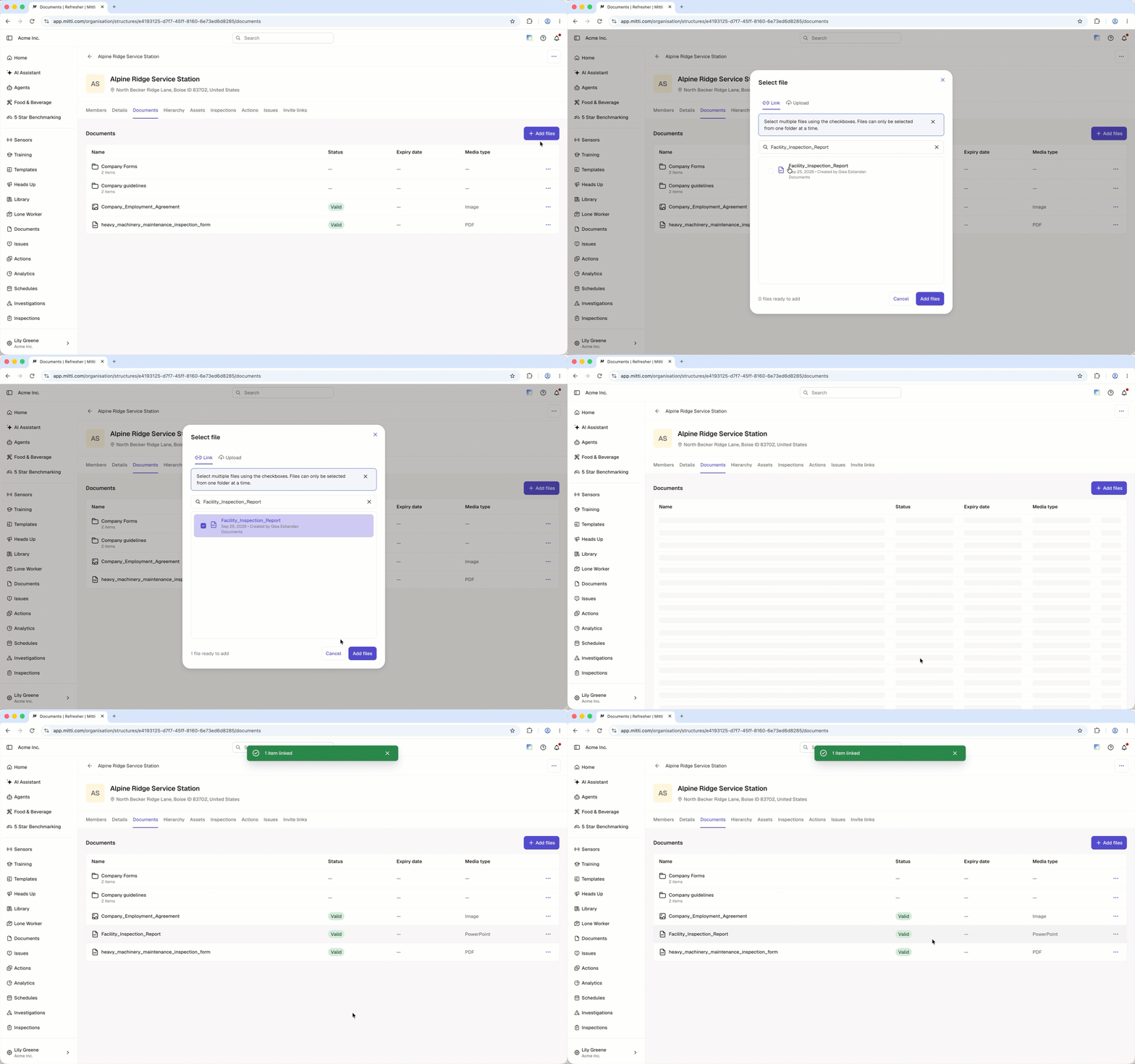
Was Sie brauchen
Link a site to a file or folder
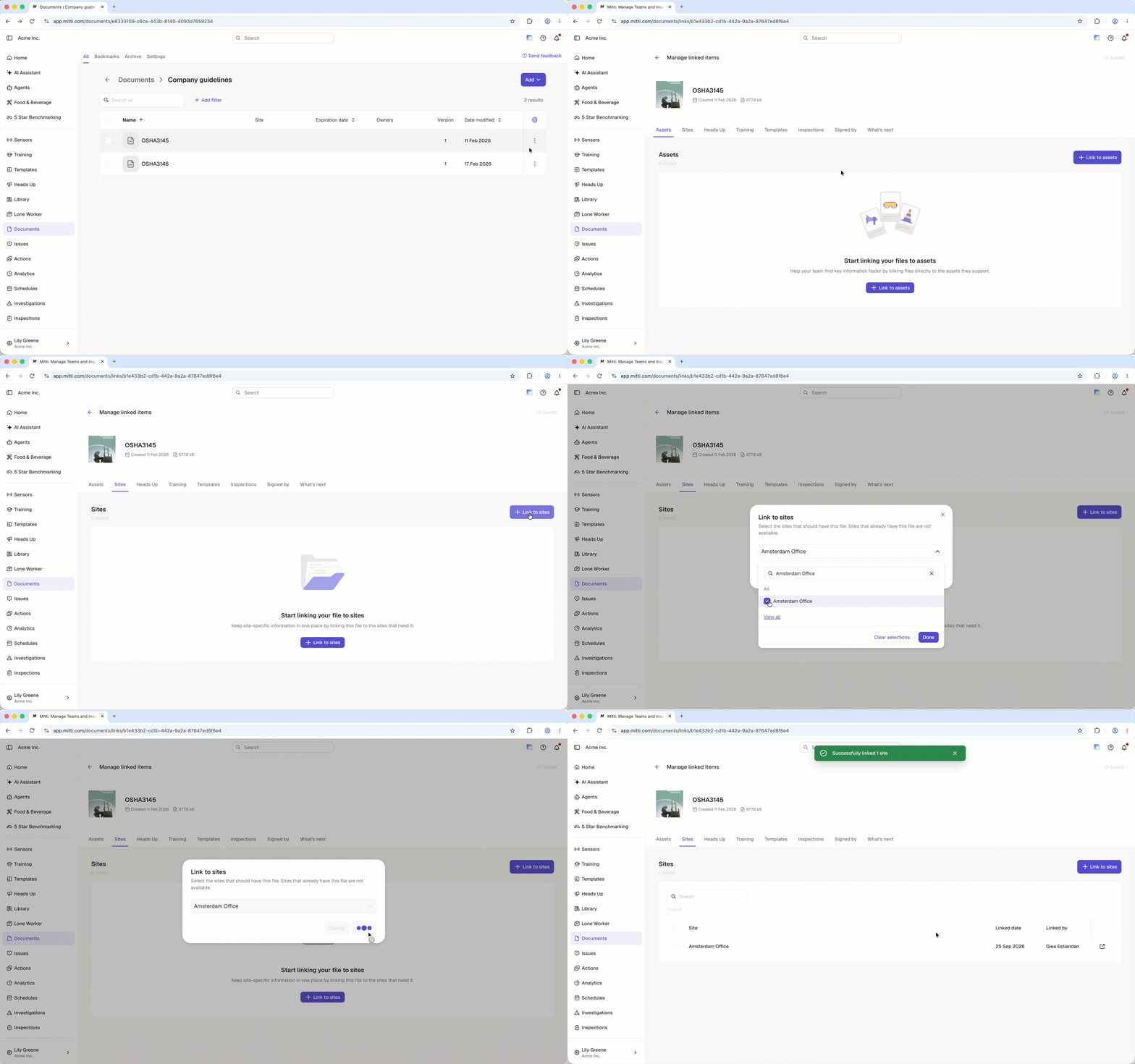
Click Dokumente in the sidebar or in Mehr.
Click on the file or folder's right-hand side and select Verlinkte Objekte verwalten.
Select the Standorte tab at the top of the page.
Click Link to sites on the upper-right of the page.
In the pop-up window, select the site you want to link from the dropdown menu and click Fertig.
Click Verknüpfen.
Unlink a site from a file or folder
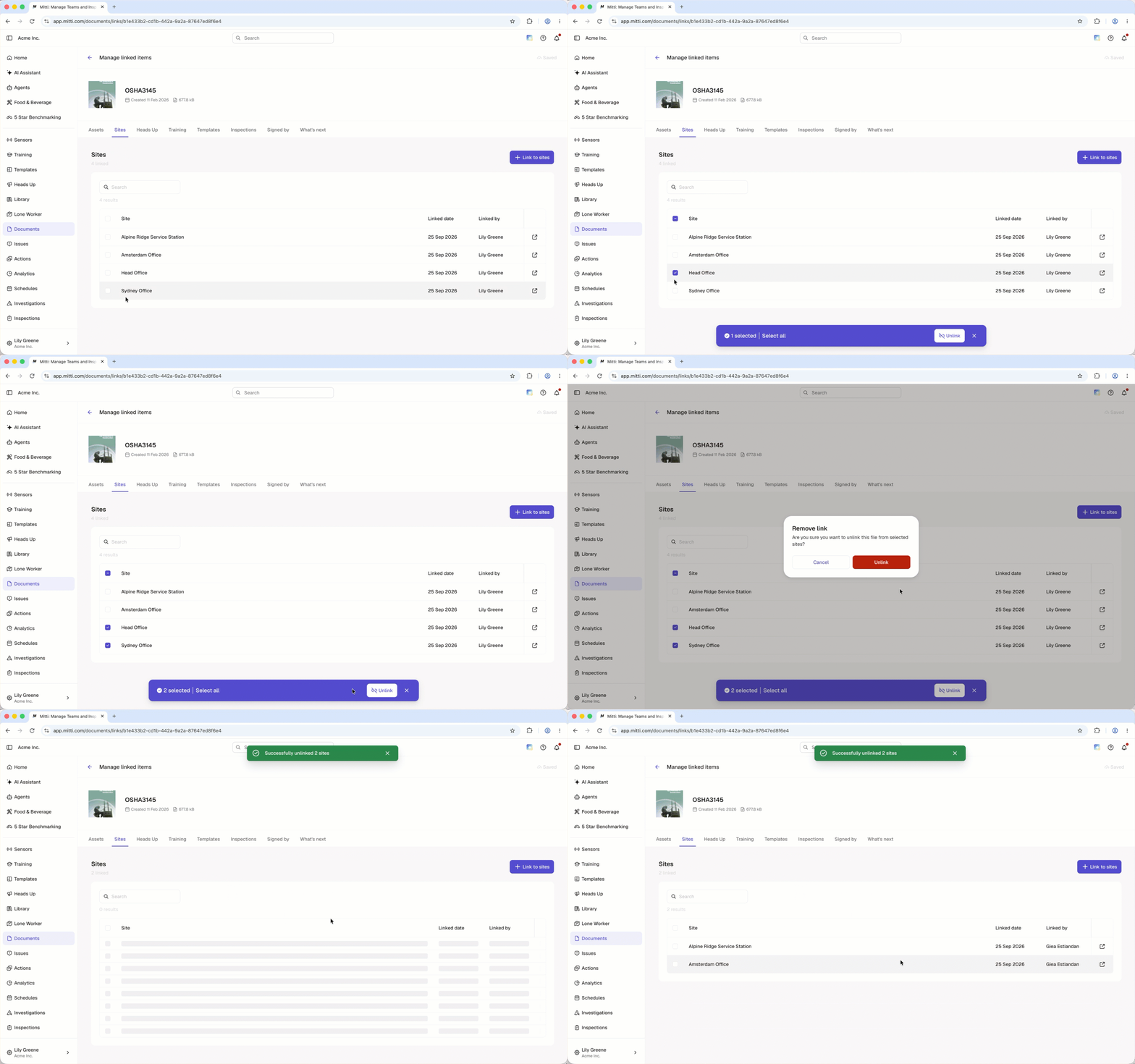
Click Dokumente in the sidebar or in Mehr.
Click on the file or folder's right-hand side and select Verlinkte Objekte verwalten.
Select the Standorte tab at the top of the page.
Check the box on the site's left-hand side.
Click Verknüpfung aufheben at the bottom of the page.
In the pop-up window, click Unlink.
Klicken Sie auf Was kommt als Nächstes? und wählen Sie bis zu 2 Funktionen aus, die Sie mit Documents verknüpfen möchten. Ihr Feedback hilft, die Zukunft von Documents zu gestalten.
Häufig gestellte Fragen
Brauchen Sie weitere Hilfe?
War diese Seite hilfreich?
