Última actualización: 23 de septiembre de 2026
La incorporación de contratistas con licencias de invitado está actualmente en Acceso temprano. Si está interesado, vaya a la aplicación web y seleccione Contratistas en la barra lateral o desde Más. Desde el perfil de la empresa, seleccione Trabajadores en la pestaña de la parte superior de la página. Haga clic en Incorporación y, a continuación, haga clic en Confirmar en la ventana emergente para registrarse en Acceso temprano.
Si no ve Incorporar en su perfil, póngase en contacto con nuestro equipo de soporte técnico o con su gerente de éxito del cliente para expresar su interés.
¿Qué son los perfiles de empresa?
Un perfil de empresa es un espacio centralizado para gestionar una empresa contratista dentro de su organización. De este modo, toda la información sobre la empresa contratista queda organizada y es accesible en un único lugar.
Puede ver y actualizar los datos clave de la empresa. También puede añadir notas internas para mantener la exactitud de los registros. Además, puede gestionar a los trabajadores vinculados al contratista, incluidas sus credenciales y actividad. Asimismo, puede solicitar y guardar documentos de contactos clave para garantizar el cumplimiento. Los perfiles de empresa ayudan a su equipo a gestionar las empresas contratistas asociadas, mantener registros precisos y cumplir los requisitos de cumplimiento.
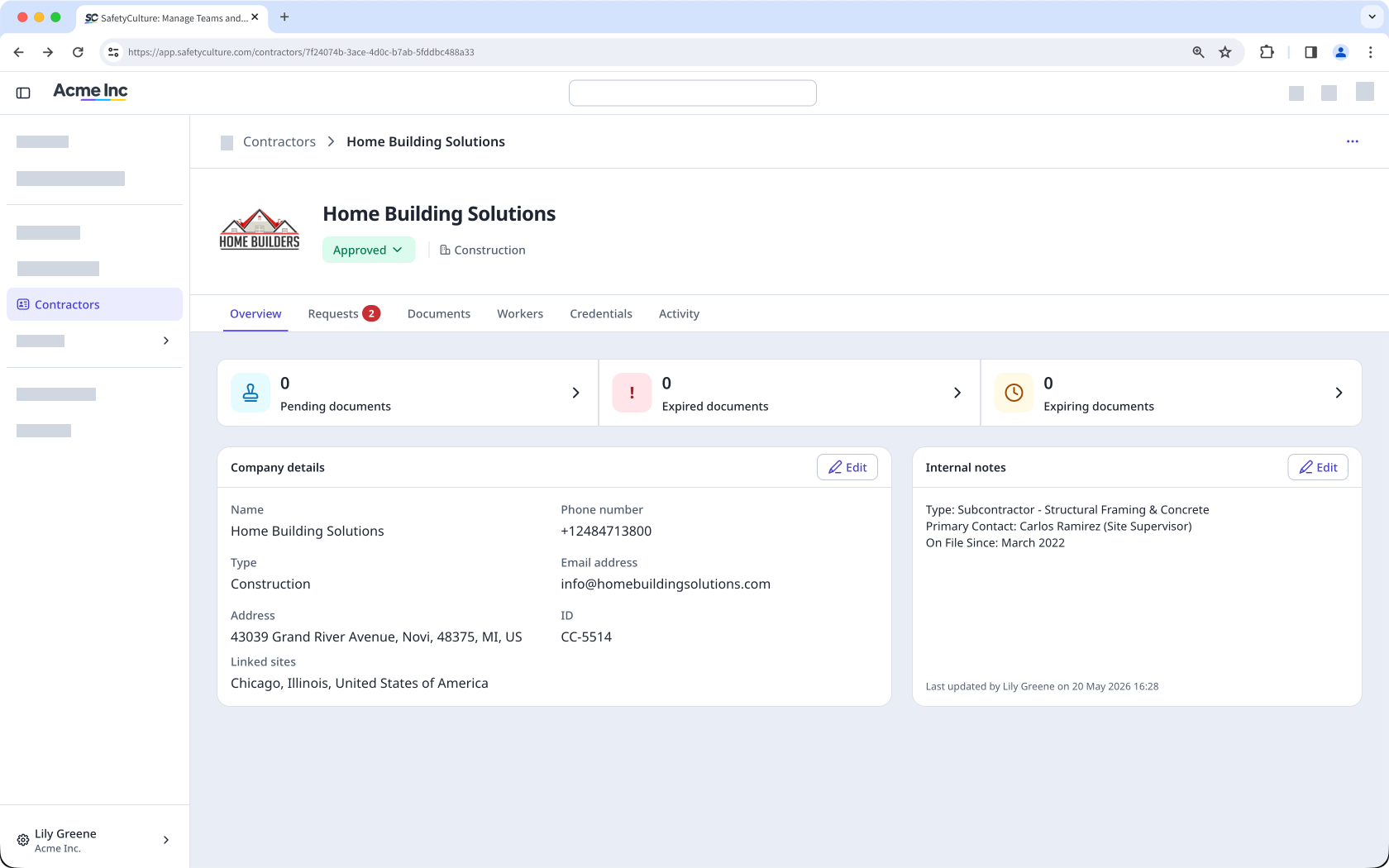
View and manage company details
Within each company profile, you can view and edit key details about the contractor company, such as company type, contact information, linked sites, and status. You can also add internal notes to give your team useful context and keep records accurate.
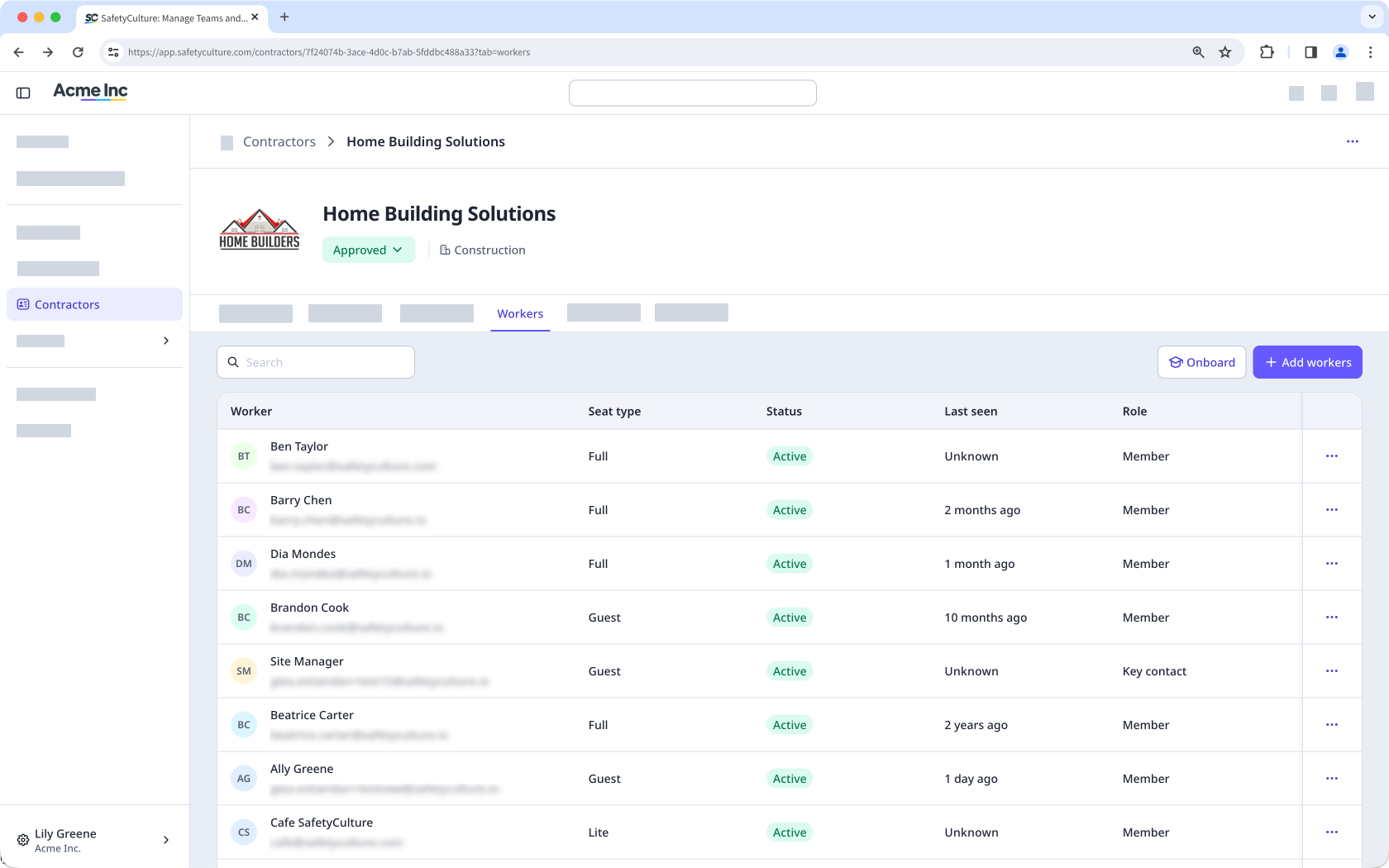
Add and manage workers
Each company profile lists all workers associated with the contractor company. You can add workers individually or in bulk and assign them a role as either a member or a key contact.
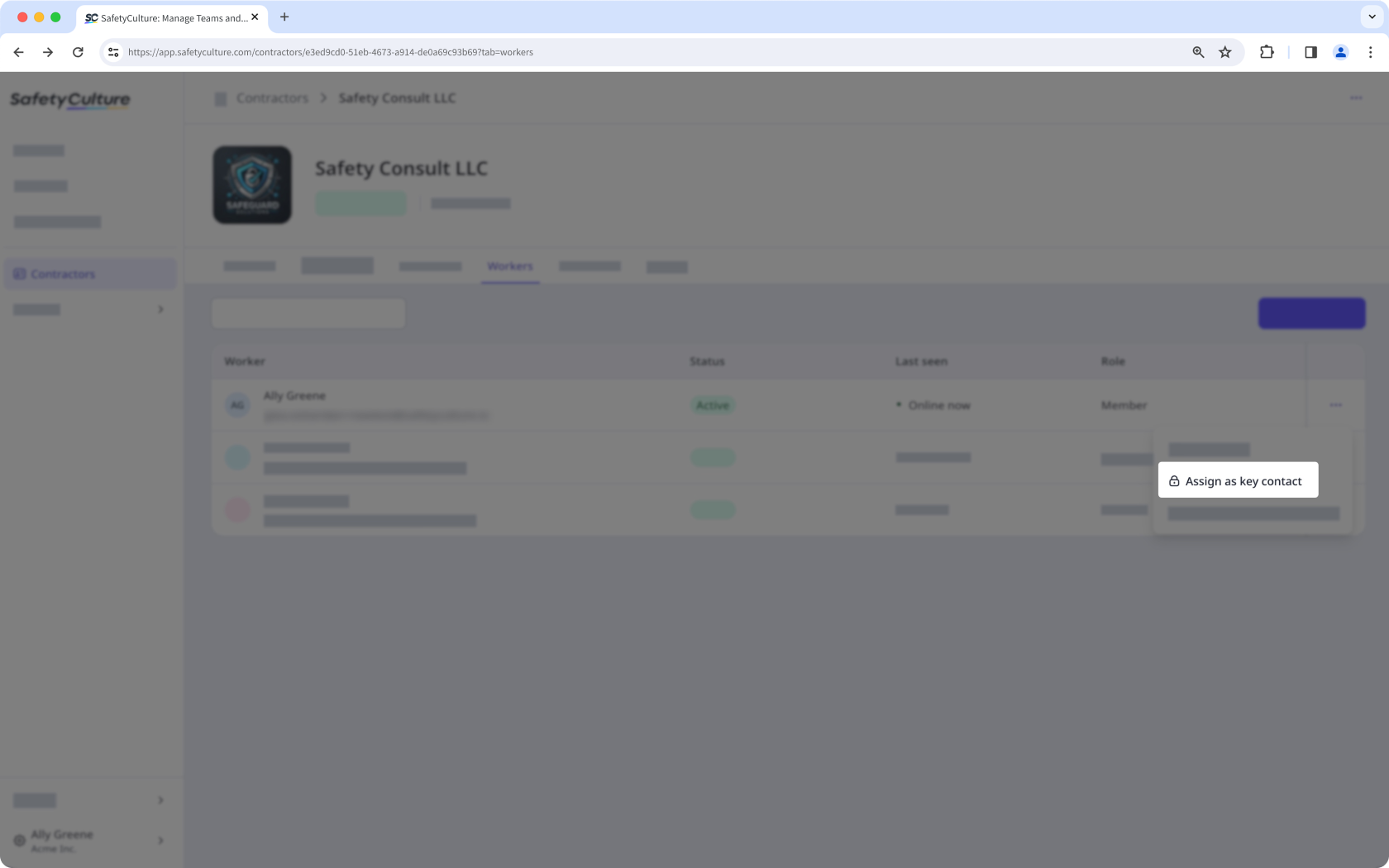
Assign a key contact
From the company profile, you can assign a key contact as the nominated representative for that contractor company. Key contacts manage the company profile on behalf of your organization by uploading documents, responding to requests, and keeping information accurate.
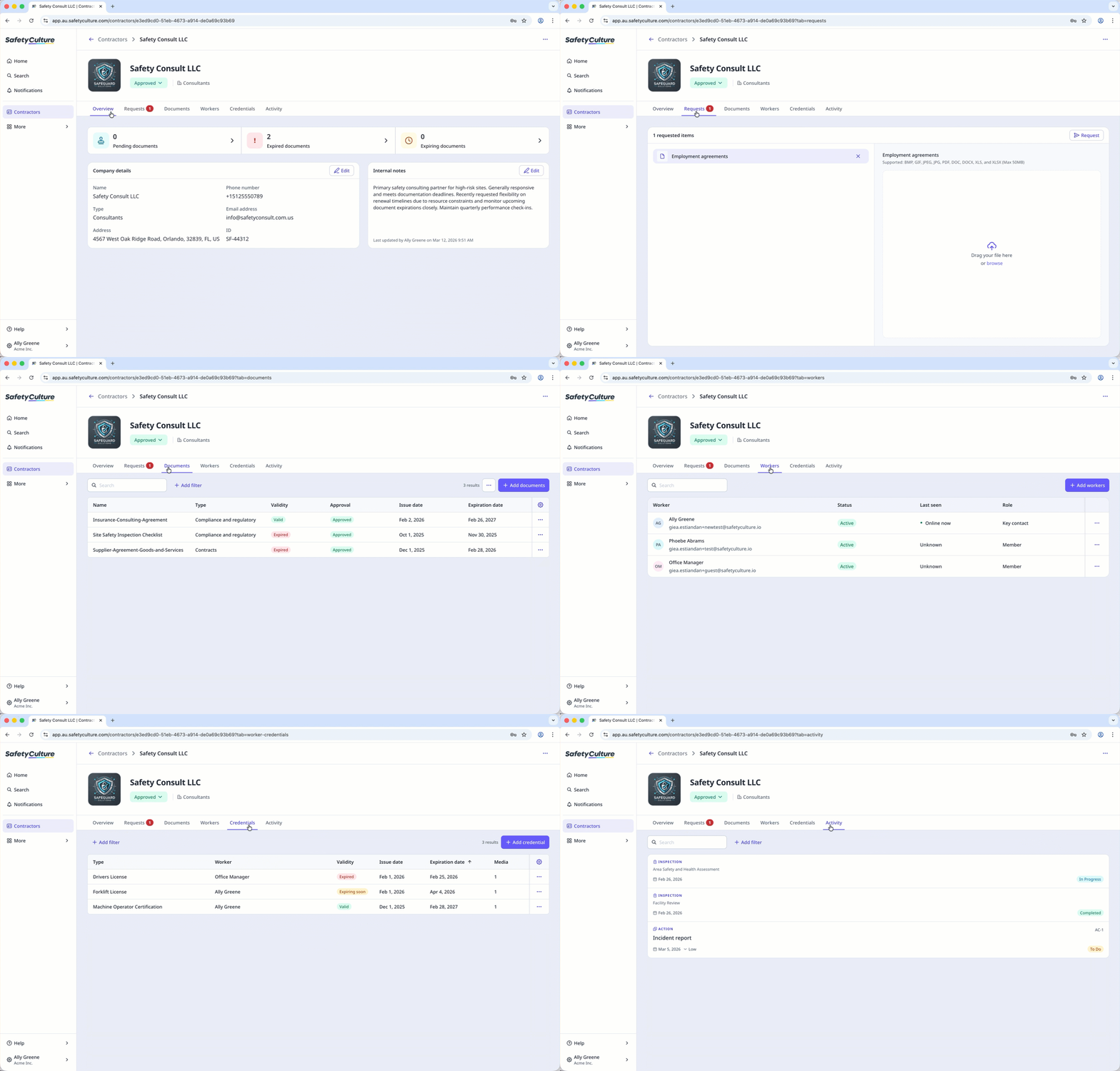
Store and manage company documents
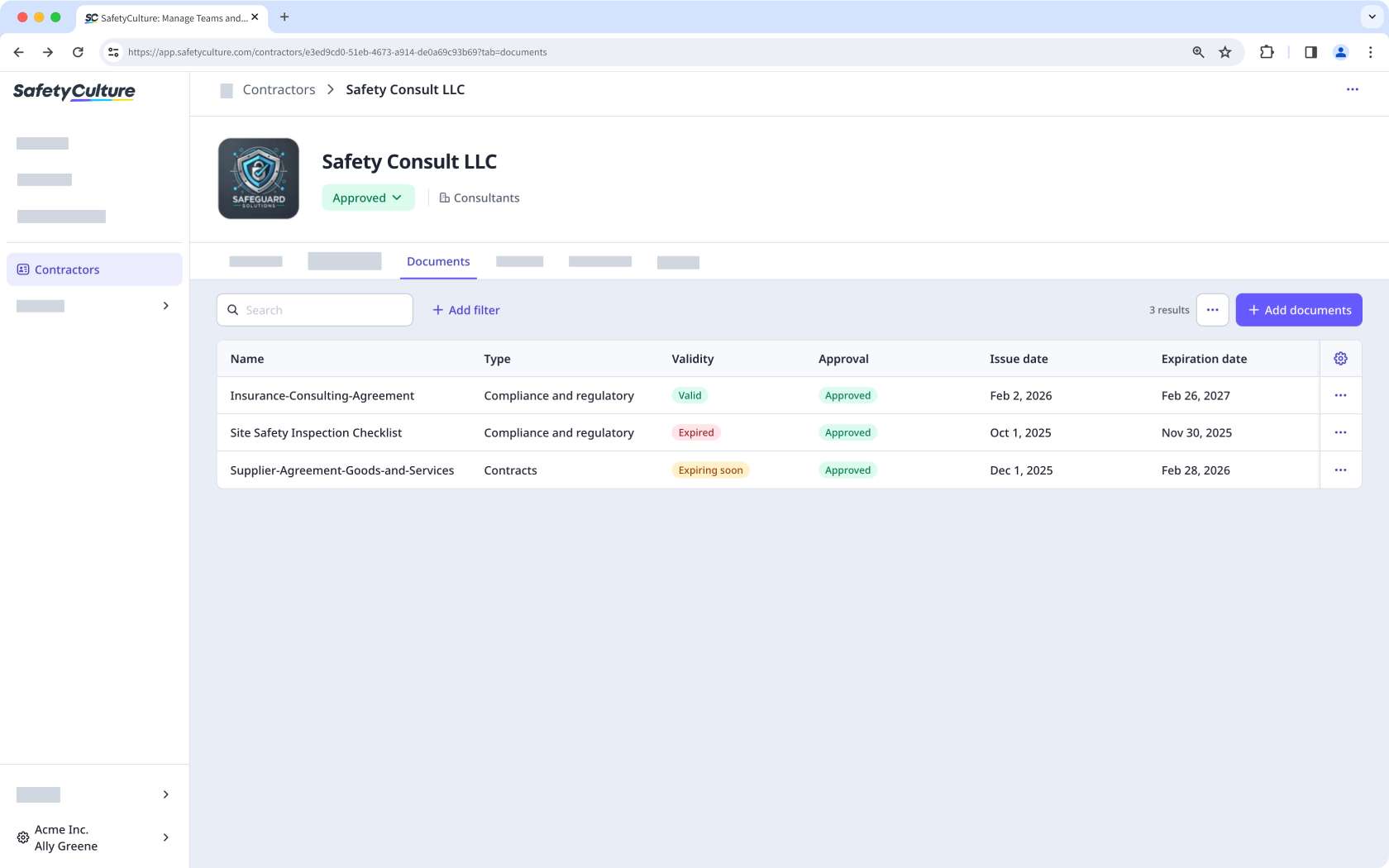
Each company profile has a dedicated space to store and organize company documents, such as insurance certificates, contracts, and business reports. You can categorize documents by type and track expiration dates. You can also view expiring or expired documents across all companies from the Contractors dashboard. Documents can go through an approval process, either manually or using AI, before they're considered valid, which keeps your records accurate and up to date.
Request documents and forms
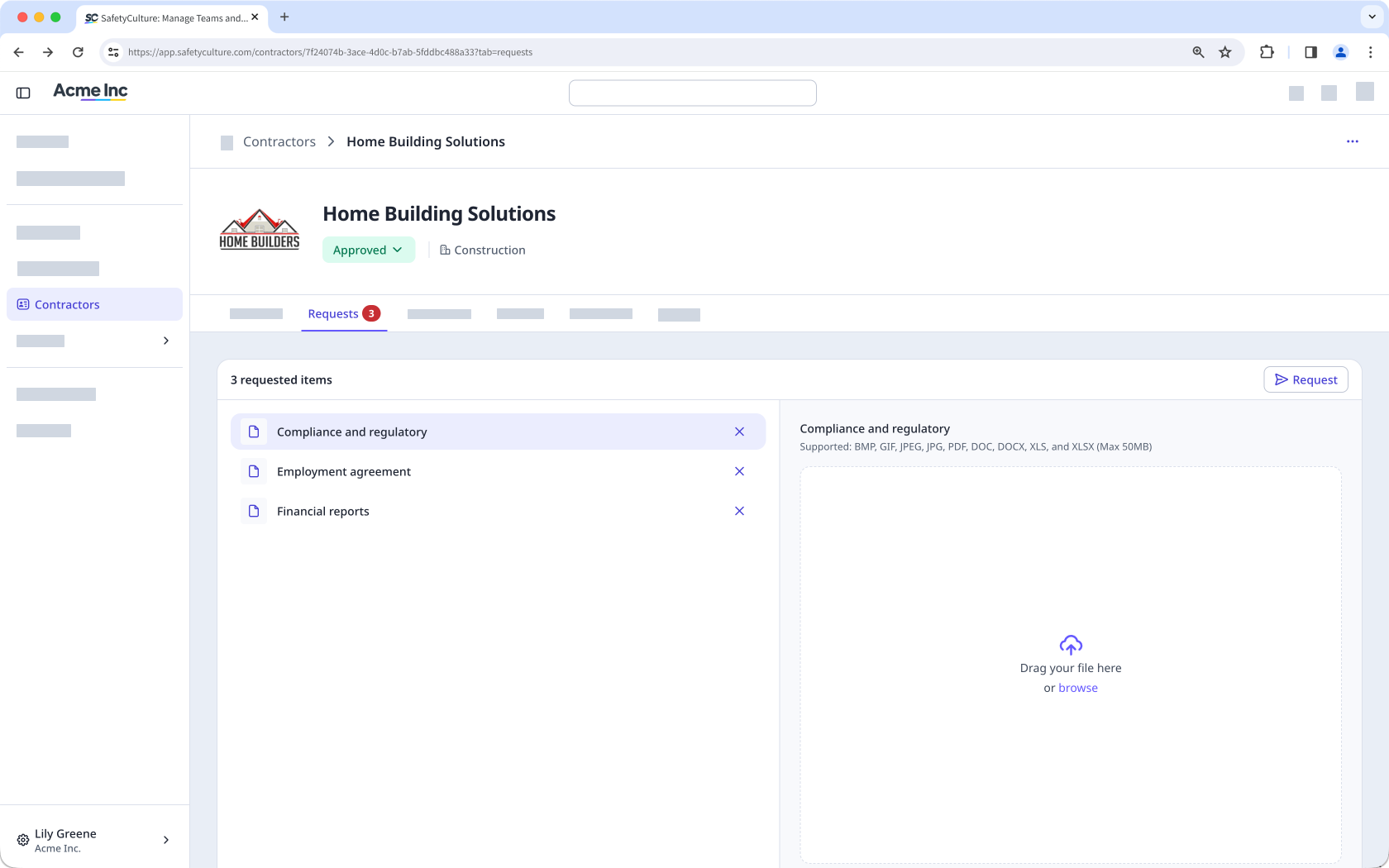
You can send document and form requests directly to key contacts within a company. These requests let you collect the certifications, contracts, or completed checklists you need. Sending these requests helps you meet your organization's requirements and maintain accurate records for each contractor company.
View worker credentials
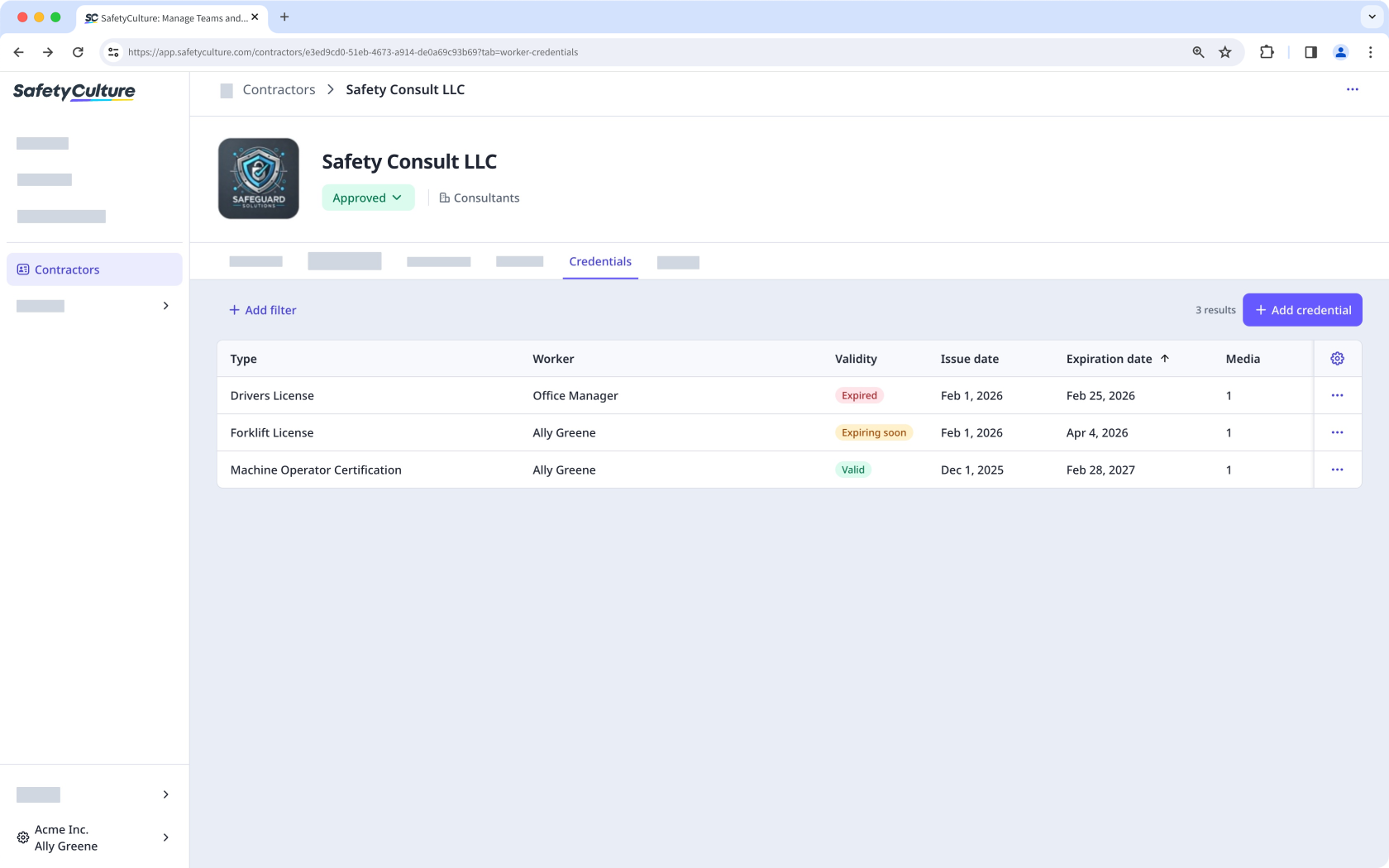
From the company profile, you can view the credentials of all workers associated with that contractor company, such as licenses, certifications, and other qualifications. This gives you focused visibility into each worker's credential status, making it easier to track expiration dates and identify who needs updates.
Track worker activity
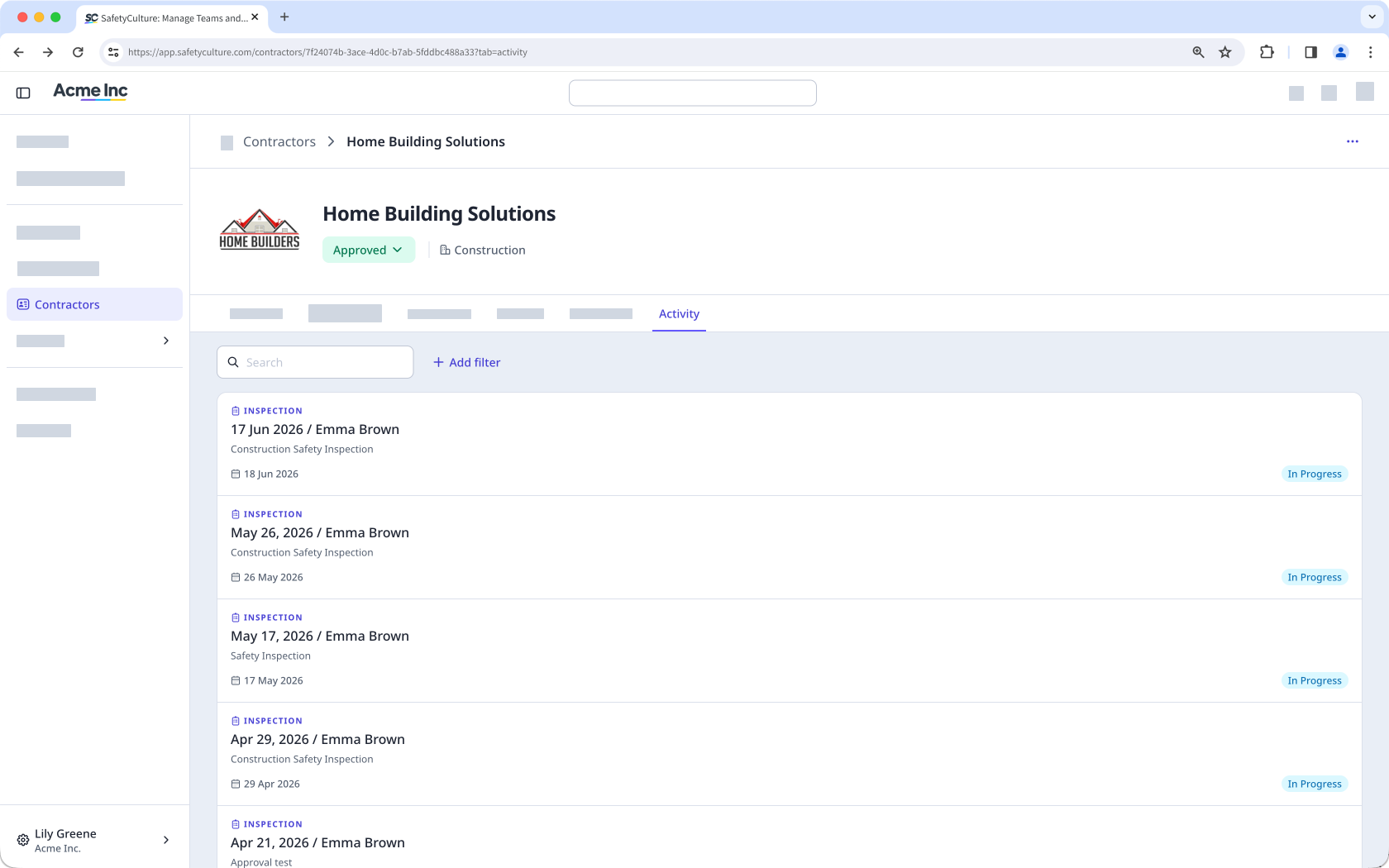
From the company profile, you can monitor the activity of workers associated with that contractor company, including inspections, issues, and actions completed across the platform. You can also view inspections linked to the company through a response type. For a full record of changes made within the company, the audit log captures every update, including who made it and when.
¿Necesitas más ayuda?
¿Fue útil esta página?
