Dernière mise à jour: 23 septembre 2026
L'implémentation de prestataires dans des Licences Invité est actuellement en Accès anticipé. Si vous êtes intéressé, accédez à l'application Web et sélectionnez Prestataires dans la barre latérale ou depuis Plus. Depuis le profil de la société, sélectionnez Travailleurs dans l'onglet en haut de la page. Cliquez sur Implémenter, puis cliquez sur Confirmer dans la fenêtre contextuelle pour vous inscrire à l'Accès anticipé.
Si cette fonctionnalité vous intéresse, veuillez contacter notre équipe de support technique ou votre responsable de la réussite client pour vérifier si votre organisation est éligible.
Que sont les profils de sociétés ?
Un profil de société est un espace centralisé permettant de gérer une société de prestataires dans votre organisation. Il permet de regrouper toutes les informations relatives aux prestataires en un seul endroit, de manière organisée et facilement accessible.
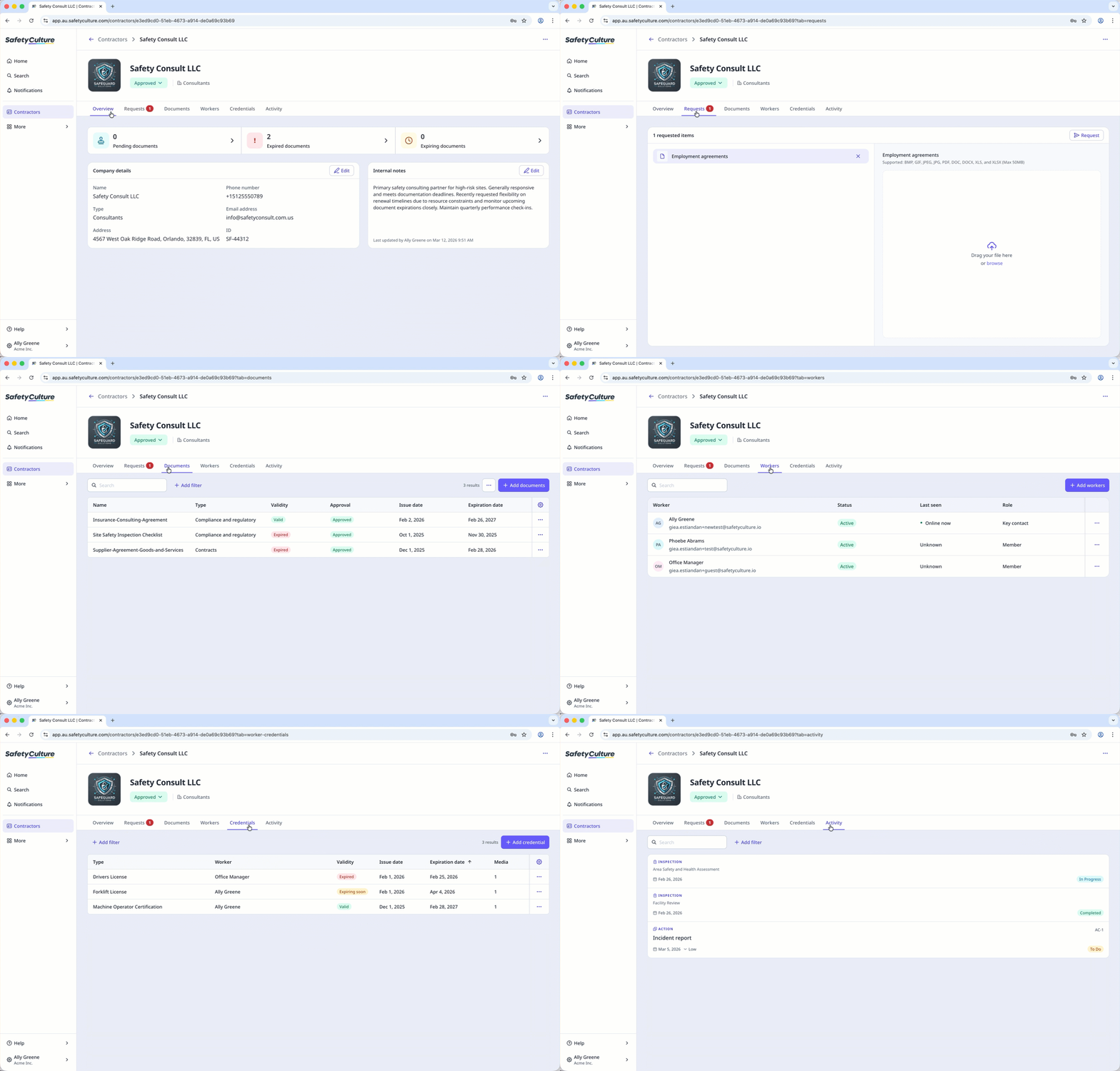
Vous pouvez afficher et mettre à jour les informations clés de la société. Vous pouvez également ajouter des commentaires internes afin de garantir l’exactitude des dossiers. De plus, vous pouvez gérer les travailleurs rattachés au prestataire, y compris leurs habilitations et leur activité. Vous pouvez également demander et stocker des documents provenant de contacts clés afin de garantir la conformité. Les profils de société aident votre équipe à gérer les sociétés de prestataires associées, à tenir à jour des dossiers précis et à respecter les exigences de conformité.
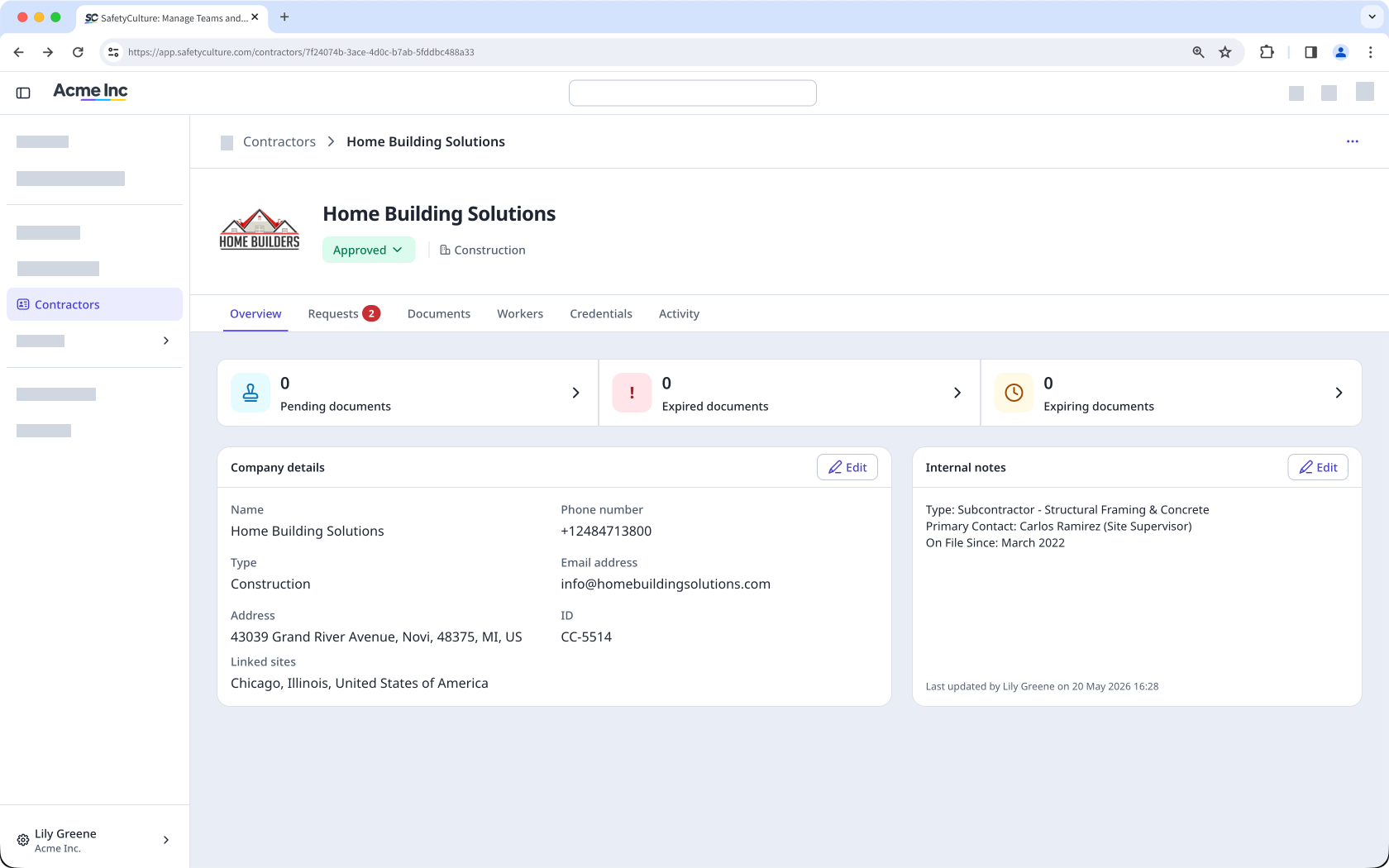
View and manage company details
Within each company profile, you can view and edit key details about the contractor company, such as company type, contact information, linked sites, and status. You can also add internal notes to give your team useful context and keep records accurate.
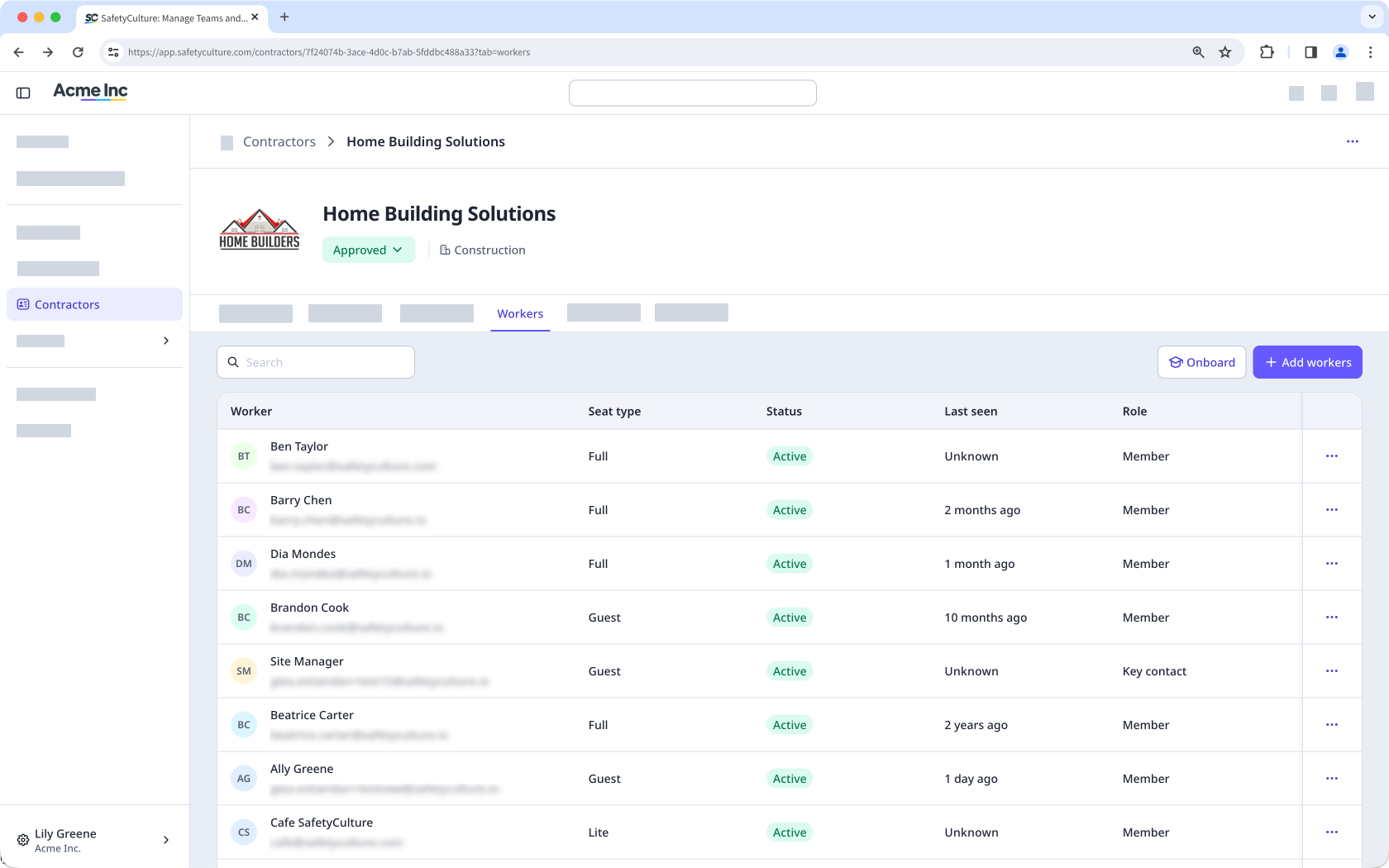
Add and manage workers
Each company profile lists all workers associated with the contractor company. You can add workers individually or in bulk and assign them a role as either a member or a key contact.
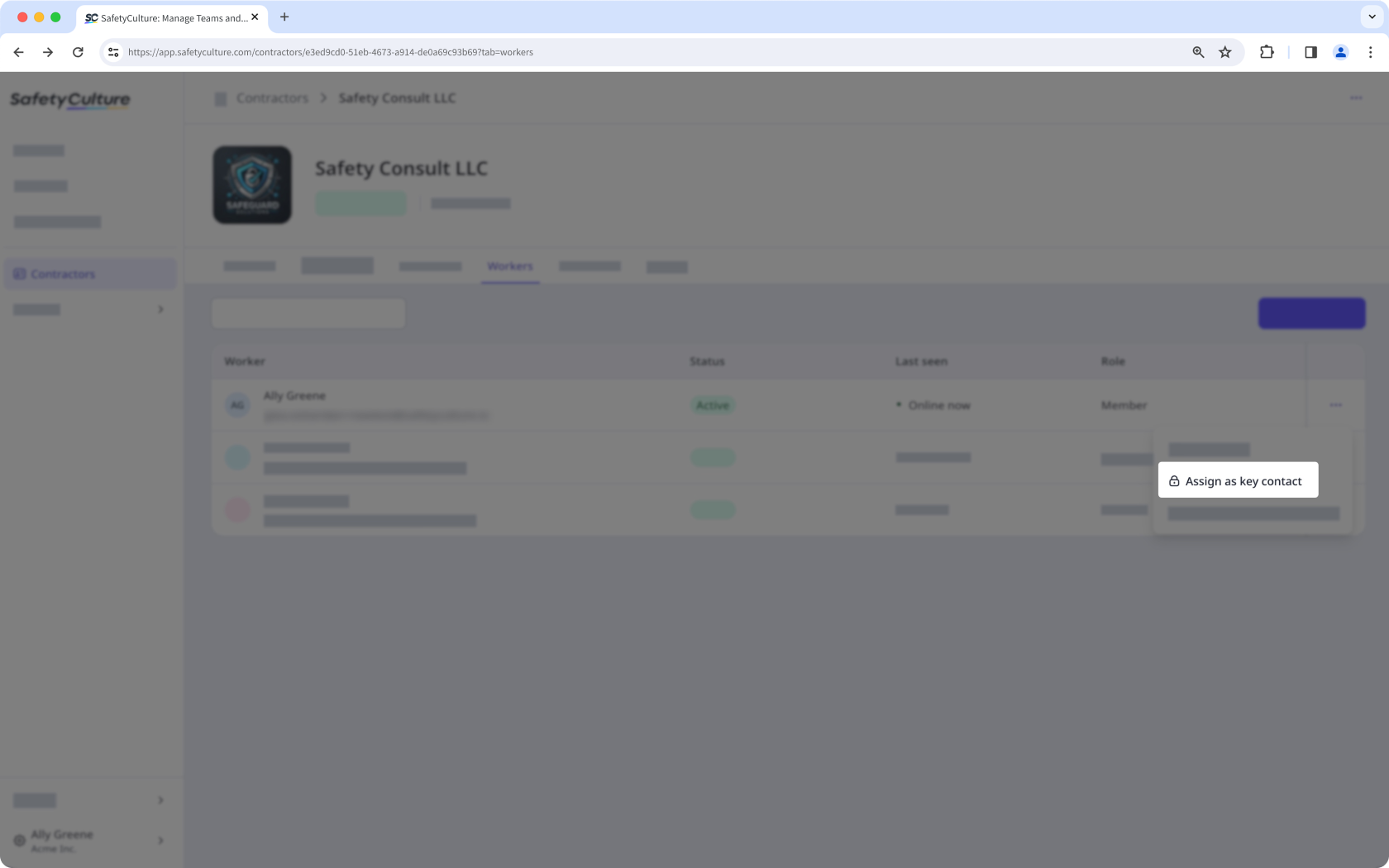
Assign a key contact
From the company profile, you can assign a key contact as the nominated representative for that contractor company. Key contacts manage the company profile on behalf of your organization by uploading documents, responding to requests, and keeping information accurate.
Store and manage company documents
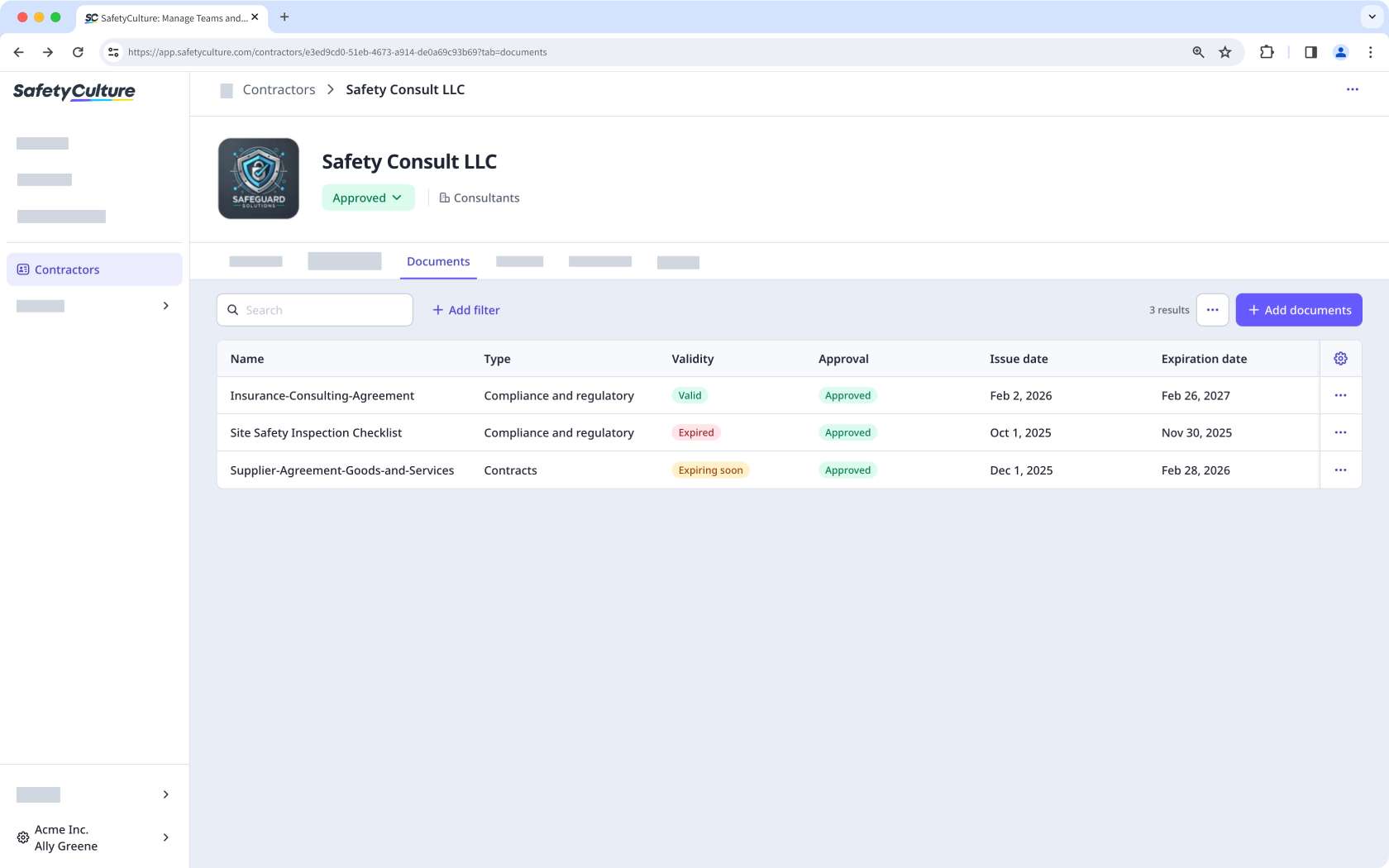
Each company profile has a dedicated space to store and organize company documents, such as insurance certificates, contracts, and business reports. You can categorize documents by type and track expiration dates. You can also view expiring or expired documents across all companies from the Contractors dashboard. Documents can go through an approval process, either manually or using AI, before they're considered valid, which keeps your records accurate and up to date.
Request documents and forms
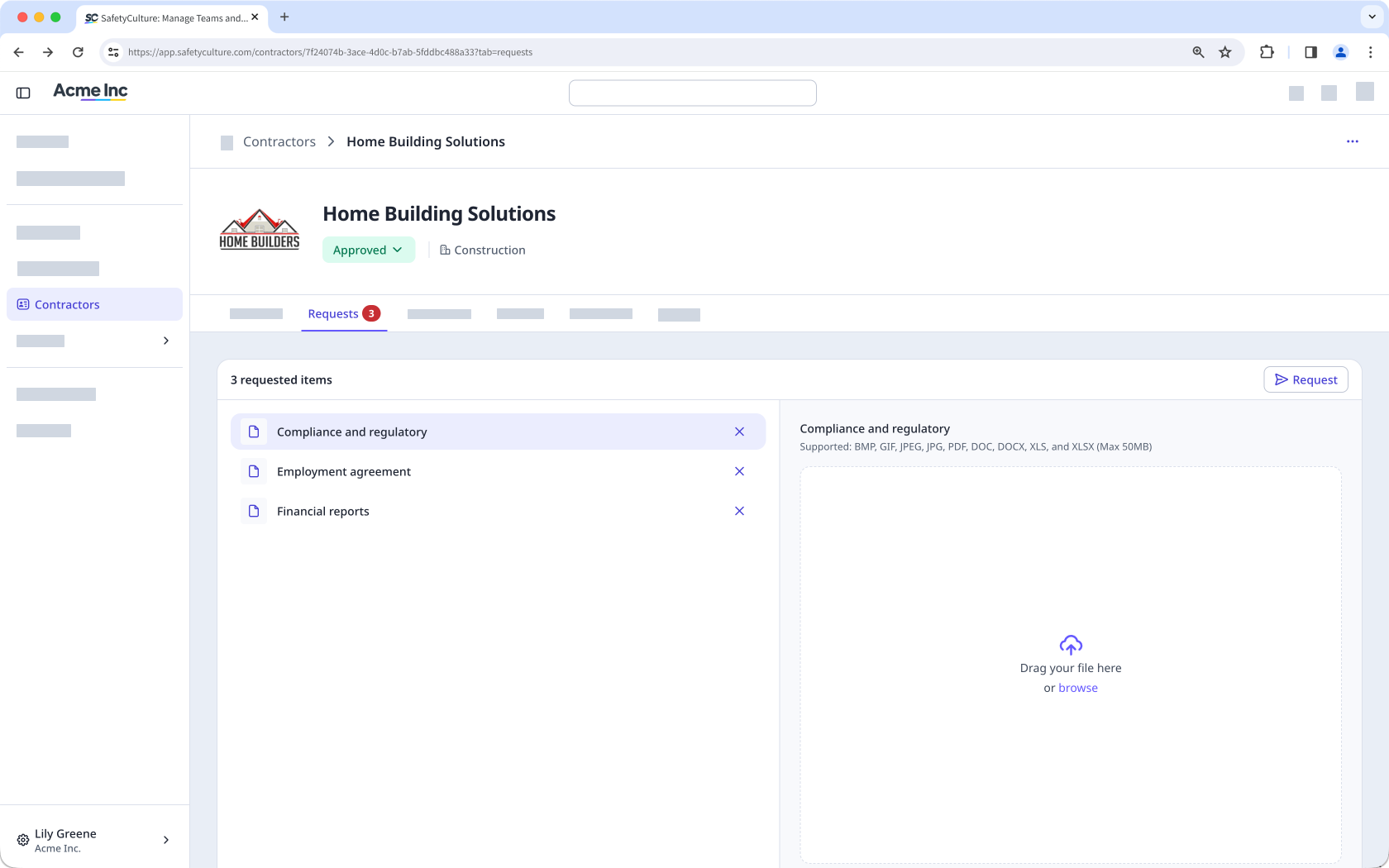
You can send document and form requests directly to key contacts within a company. These requests let you collect the certifications, contracts, or completed checklists you need. Sending these requests helps you meet your organization's requirements and maintain accurate records for each contractor company.
View worker credentials
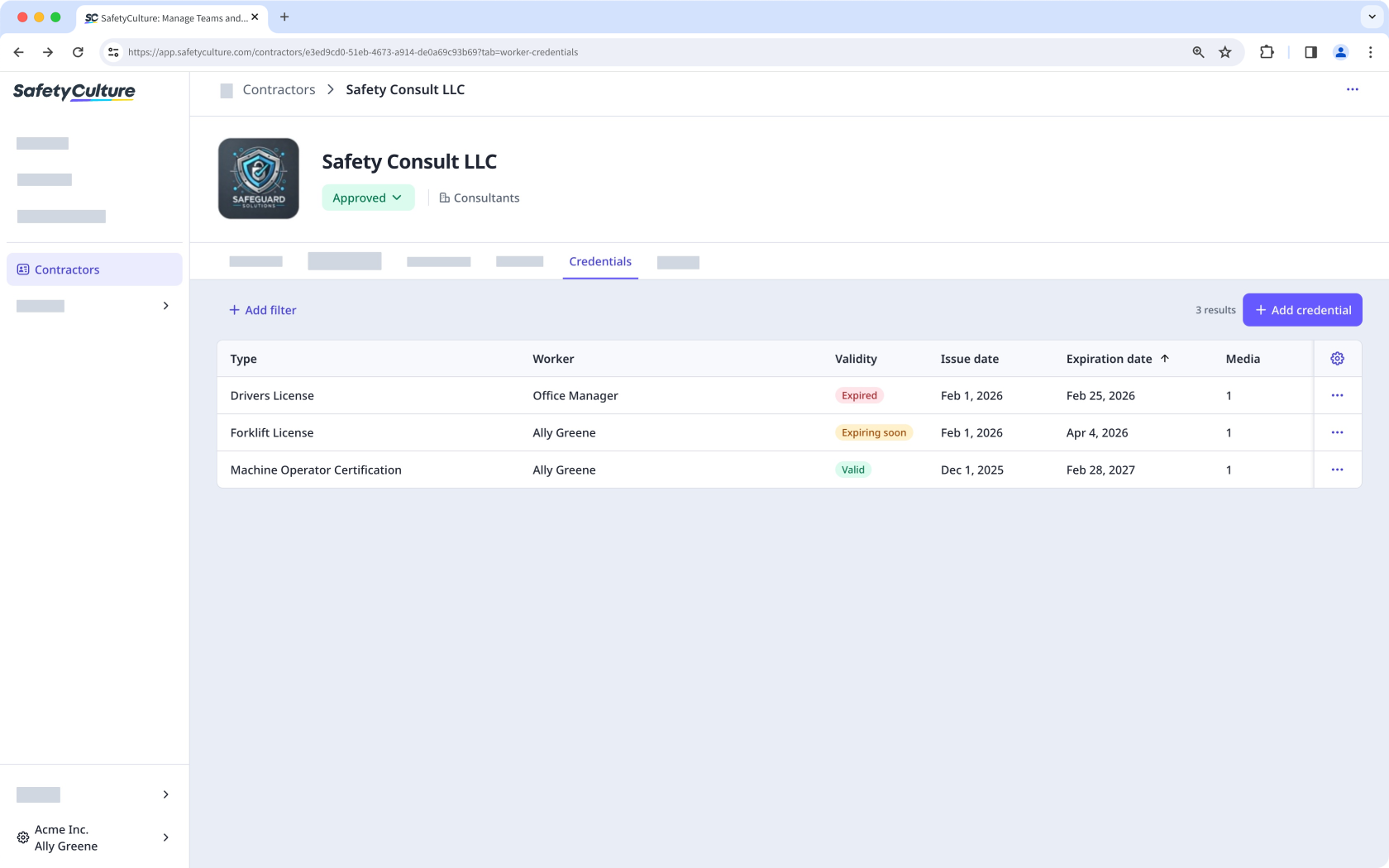
From the company profile, you can view the credentials of all workers associated with that contractor company, such as licenses, certifications, and other qualifications. This gives you focused visibility into each worker's credential status, making it easier to track expiration dates and identify who needs updates.
Track worker activity
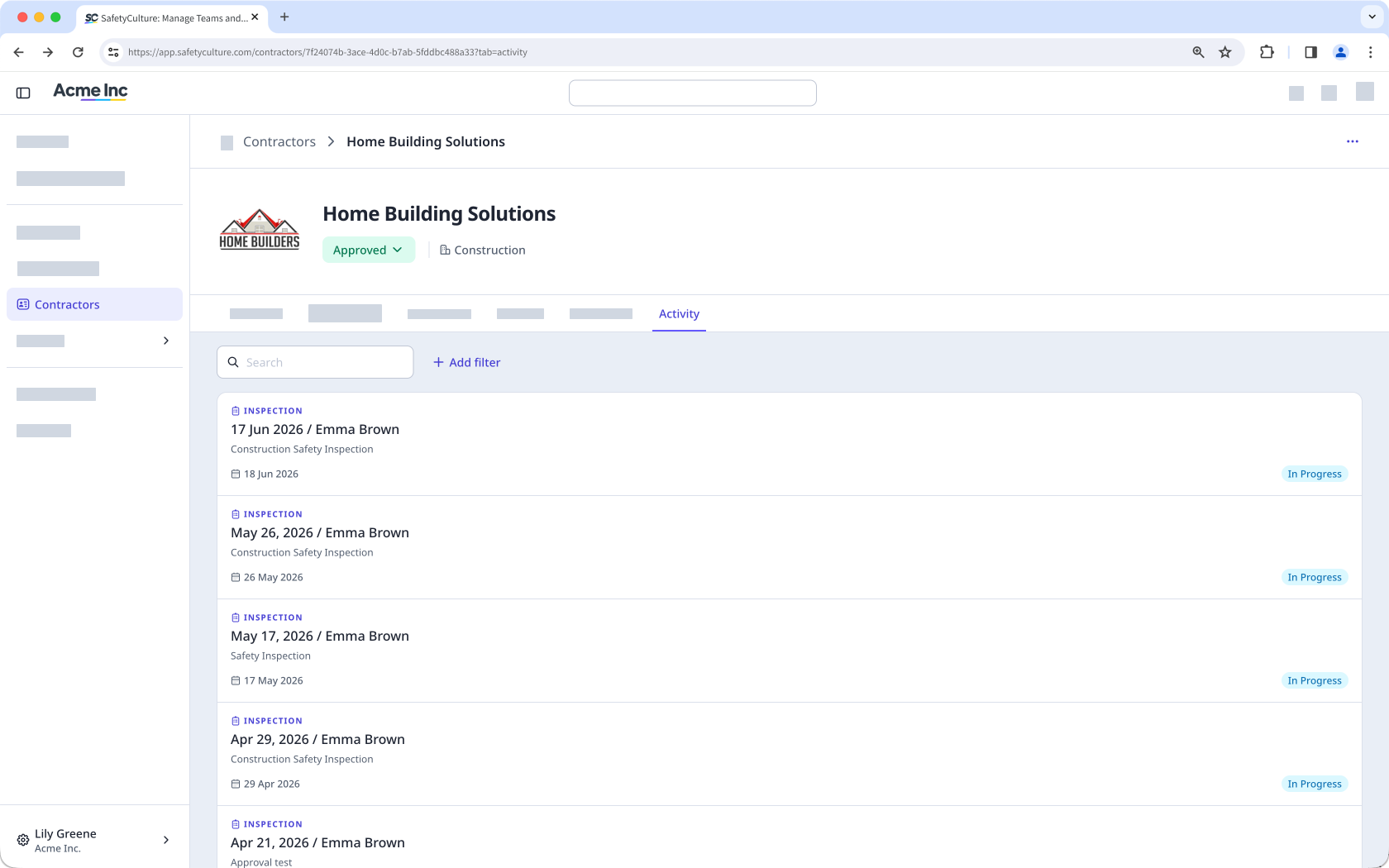
From the company profile, you can monitor the activity of workers associated with that contractor company, including inspections, issues, and actions completed across the platform. You can also view inspections linked to the company through a response type. For a full record of changes made within the company, the audit log captures every update, including who made it and when.
Besoin d'aide supplémentaire?
Cette page vous a-t-elle été utile?
