Dernière mise à jour: 8 juin 2026
What happens when you delete a file from an action?
When you delete a file from an action, it's permanently removed from the action and can't be recovered. The action's activity timeline records who deleted it and when, so there's still a traceable history of what changed. This keeps action records accurate so your team can assign, follow up on, and complete actions with confidence.
Ce dont vous aurez besoin
Si vous avez Autorisation « outrepasser l'autorisation : gérer toutes les données », vous pouvez également supprimer les fichiers importés dans les actions par d'autres utilisateurs de l'organisation.
La suppression est irréversible et nous ne pouvons pas restaurer les éléments définitivement supprimés. Une confirmation est toujours nécessaire avant toute suppression, afin de s'assurer que vous ne supprimez pas accidentellement le mauvais élément.
Delete a file in an action
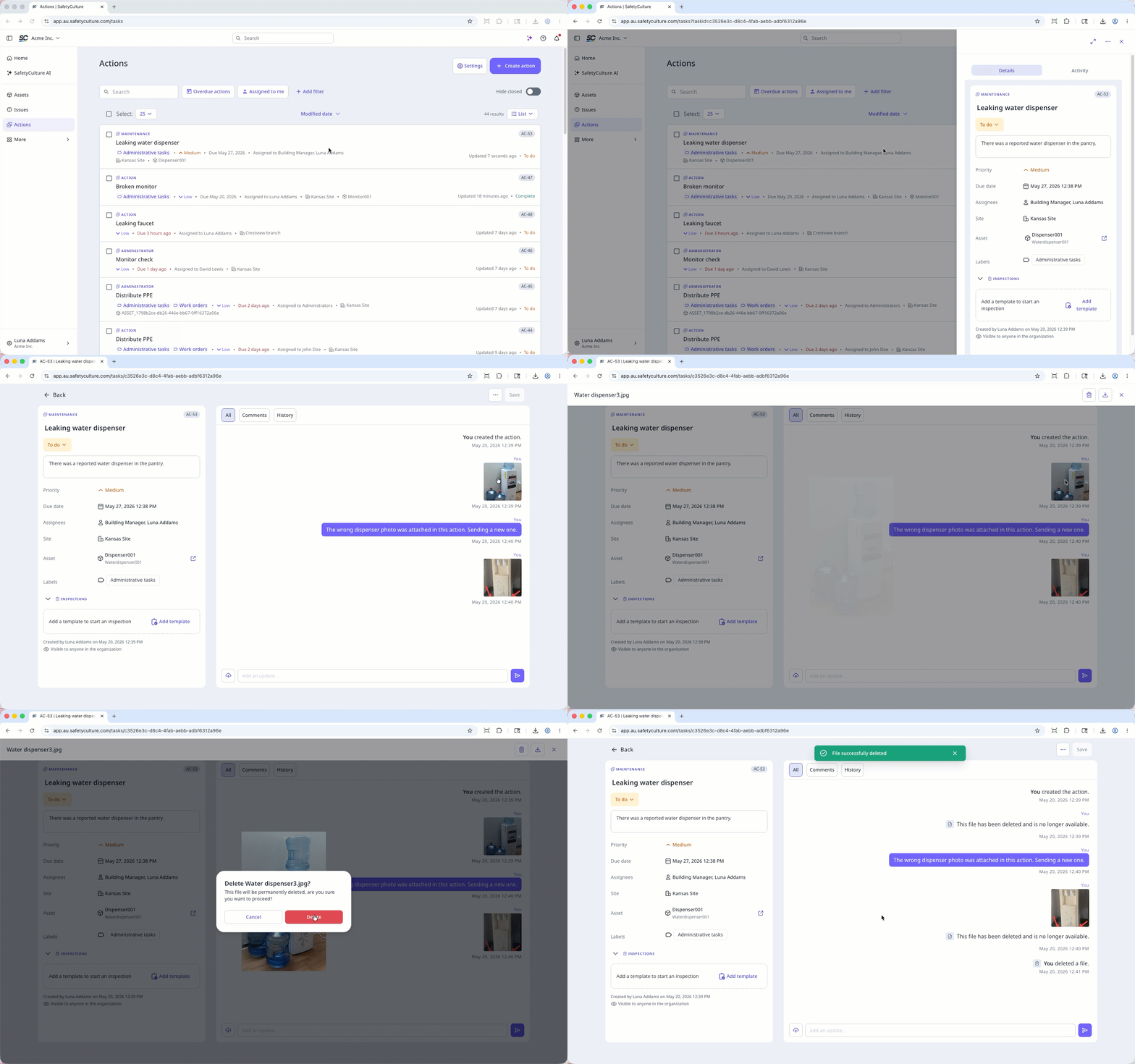
Select Actions in the sidebar or in Plus.
Select between Liste, Calendrier, or Tableau on the upper-right of the page to view the actions.
Select an action.
Click Activité on the upper-right of the page.
Click the file to preview.
Click on the upper-right of the media preview.
In the pop-up window, click Supprimer.
Open the mobile app.
Tap Actions in the navigation bar or select it from Plus.
Tap Activité tab at the top of your screen.
Tap the file you want to delete.
Tap at the bottom of your screen.
In the pop-up window, tap Supprimer to confirm.

Questions fréquemment posées
Besoin d'aide supplémentaire?
Cette page vous a-t-elle été utile?
