Dernière mise à jour: 24 septembre 2026
Veuillez noter que cette fonctionnalité est actuellement en Accès anticipé. Si vous êtes intéressé, veuillez contacter votre responsable clientèle pour vérifier si votre organisation est éligible.
What does it mean to link sites to files and folders?
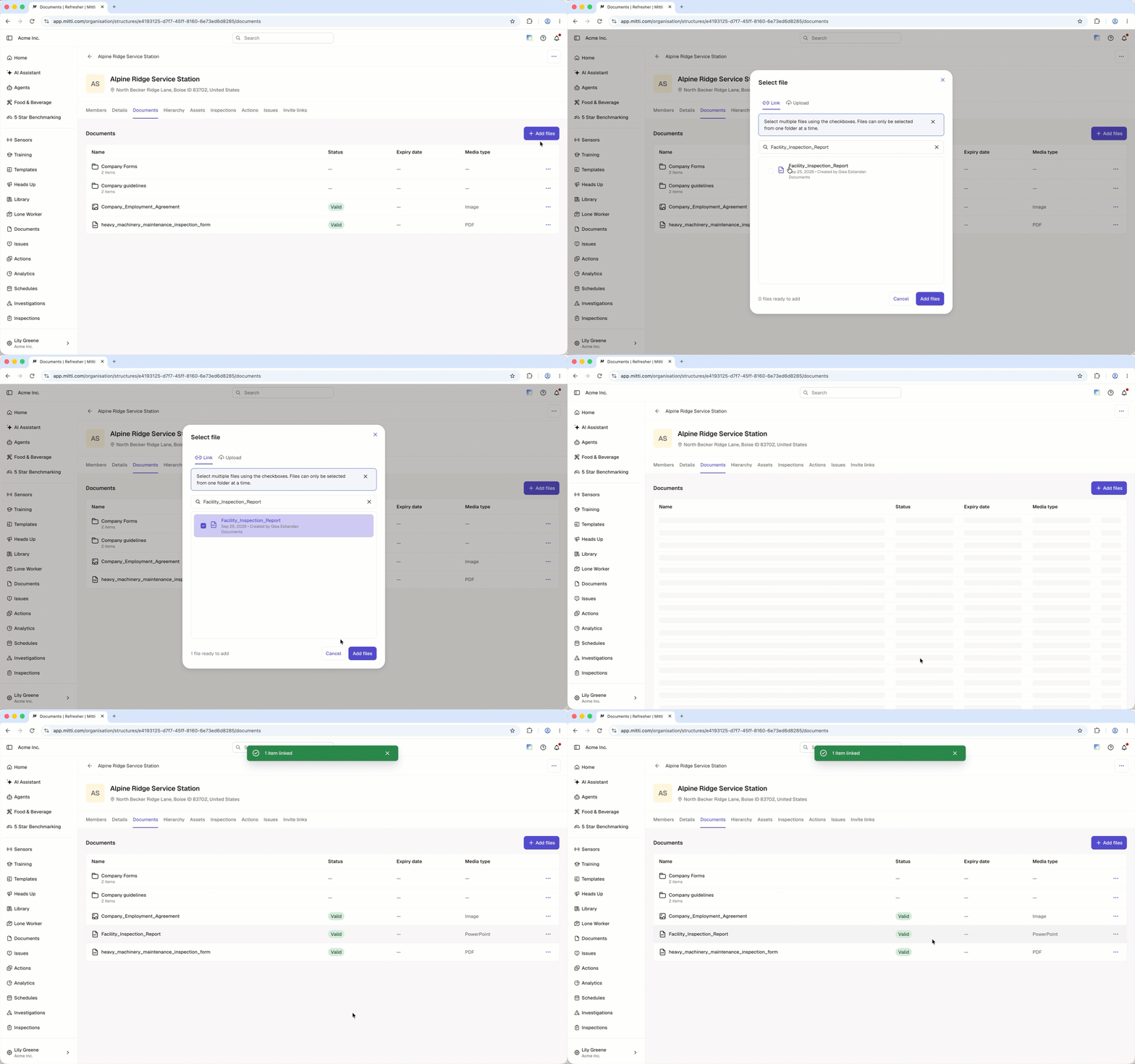
When you link sites to a file or folder in Documents, that file or folder appears on the profile of every site you link it to. The file or folder stays in Documents, so linking creates a reference rather than a copy, and any edits you make show up on all of those sites.
Linking from Documents lets you connect one file or folder to several sites at a time. That helps when the same documentation applies to more than one location, such as a company-wide policy or a standard operating procedure. Site members can then view the files and folders in one place on the site profile.
Ce dont vous aurez besoin
Link a site to a file or folder
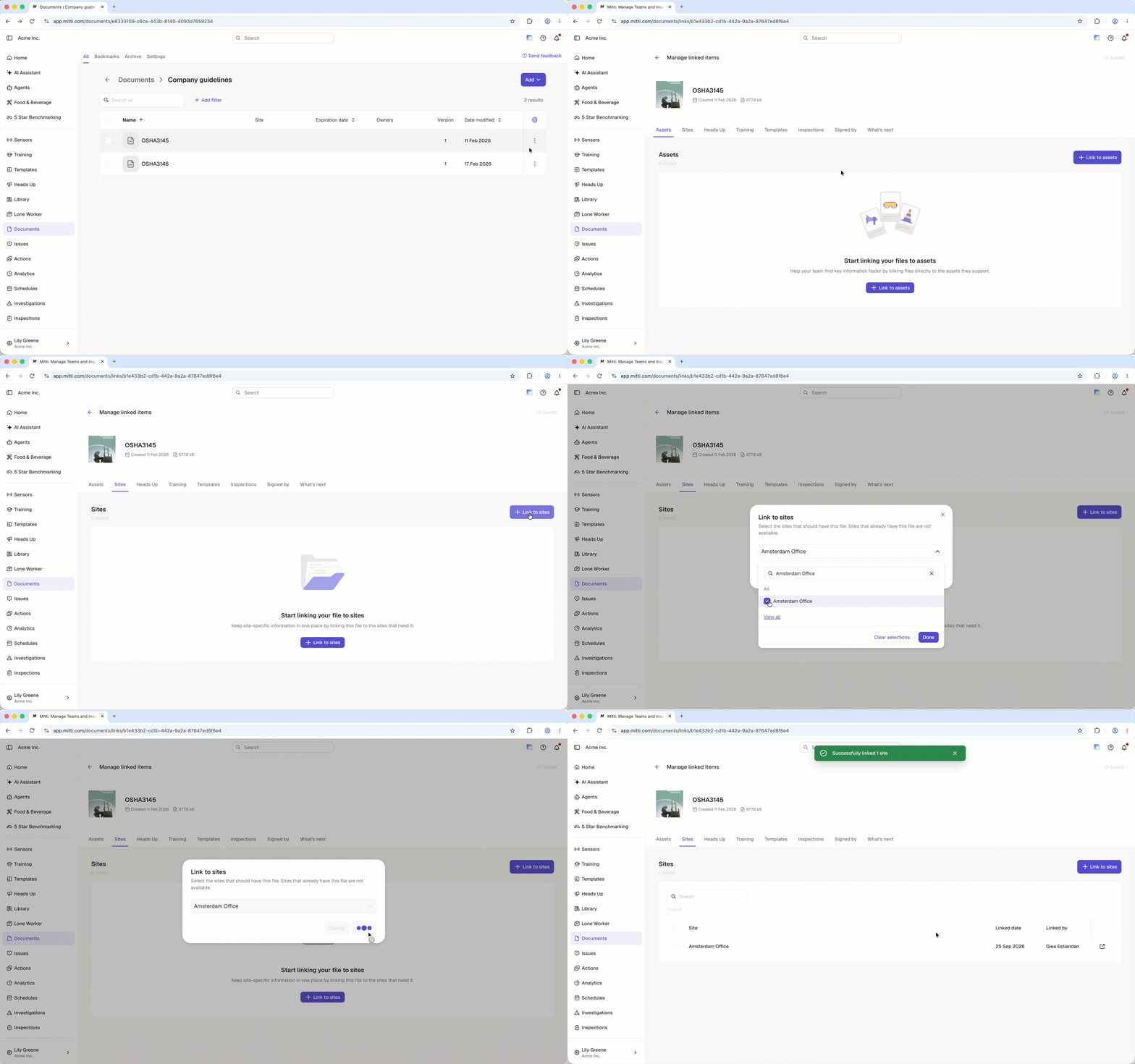
Click Documents in the sidebar or in Plus.
Click on the file or folder's right-hand side and select Gérer les éléments liés.
Select the Sites tab at the top of the page.
Click Link to sites on the upper-right of the page.
In the pop-up window, select the site you want to link from the dropdown menu and click Terminé.
Click Associer.
Unlink a site from a file or folder
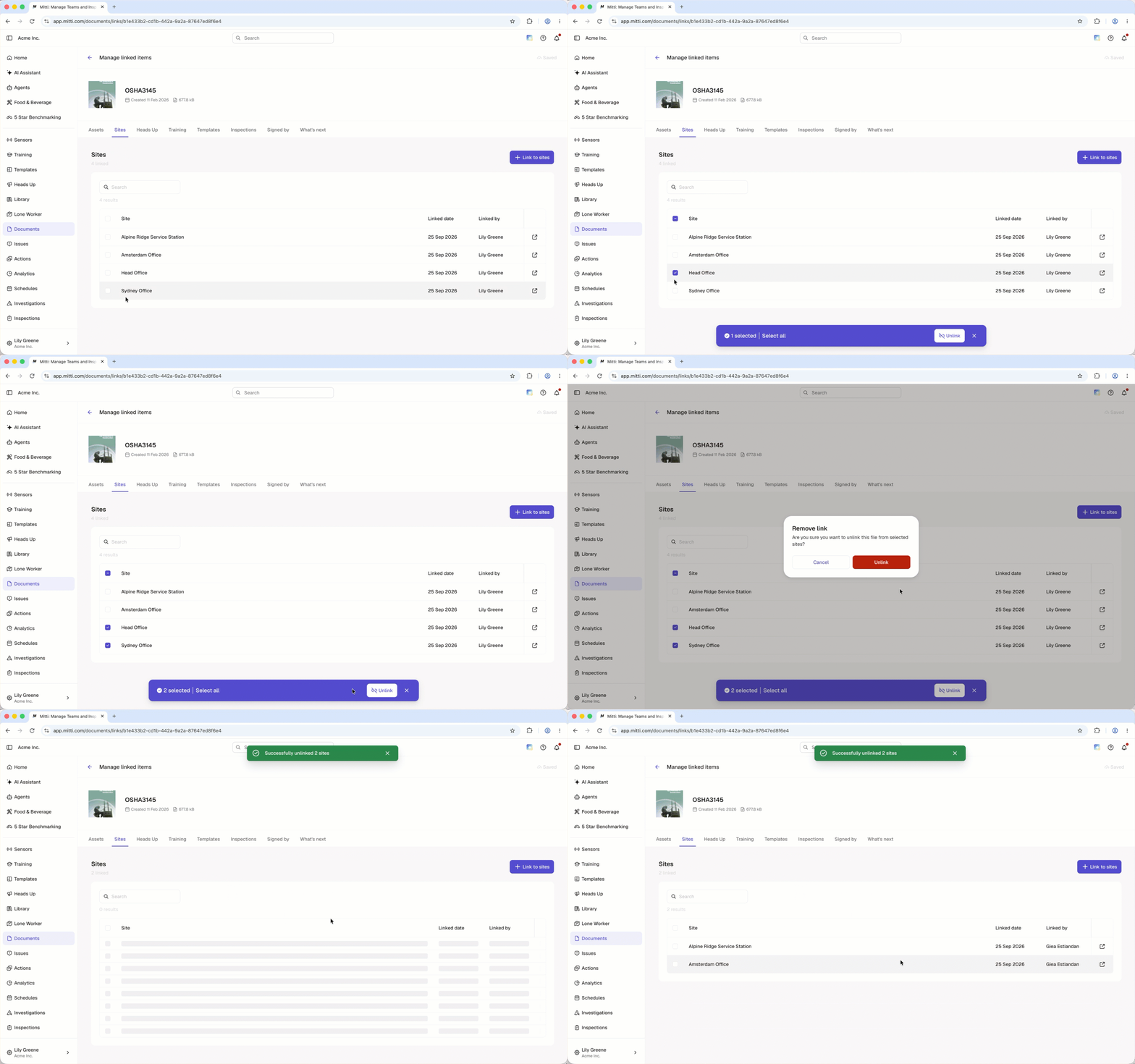
Click Documents in the sidebar or in Plus.
Click on the file or folder's right-hand side and select Gérer les éléments liés.
Select the Sites tab at the top of the page.
Check the box on the site's left-hand side.
Click Dissocier at the bottom of the page.
In the pop-up window, click Unlink.
Cliquez sur Et ensuite ? et sélectionnez jusqu'à deux fonctionnalités que vous souhaitez lier avec Documents. Vos commentaires contribuent à façonner l'avenir de Documents.
Questions fréquemment posées
Besoin d'aide supplémentaire?
Cette page vous a-t-elle été utile?
