Last updated: October 6, 2026
What does it mean to activate deactivated users?
Activating a deactivated user restores their access to Mitti and gives them a seat again. This is useful for employees who only need Mitti for a set period, such as seasonal workers. You can deactivate their accounts to free up their seats for other users, then activate their accounts when they return to work.
If your organization is on Premium Plan or Enterprise Plan and doesn't have full seats available, you will be billed a pro-rated amount for each deactivated user you activate into a full seat. If users reactivate through an invite link and no seats are available, Mitti purchases a seat automatically when automatic seat purchasing is turned on. If automatic seat purchasing is turned off, Mitti blocks the reactivation.
You can also let deactivated users reactivate themselves. Turn on "Activate deactivated users" for an invite link. Deactivated users who log in through that invite link are reactivated with the seat type, role, and group and site membership configured on the link.
Activate a deactivated user
Click your organization name on the lower-left of the page and select Users.
Remove the filter for active users to show deactivated users.
Click on the right-hand side of the deactivated user's row and select Activate user.
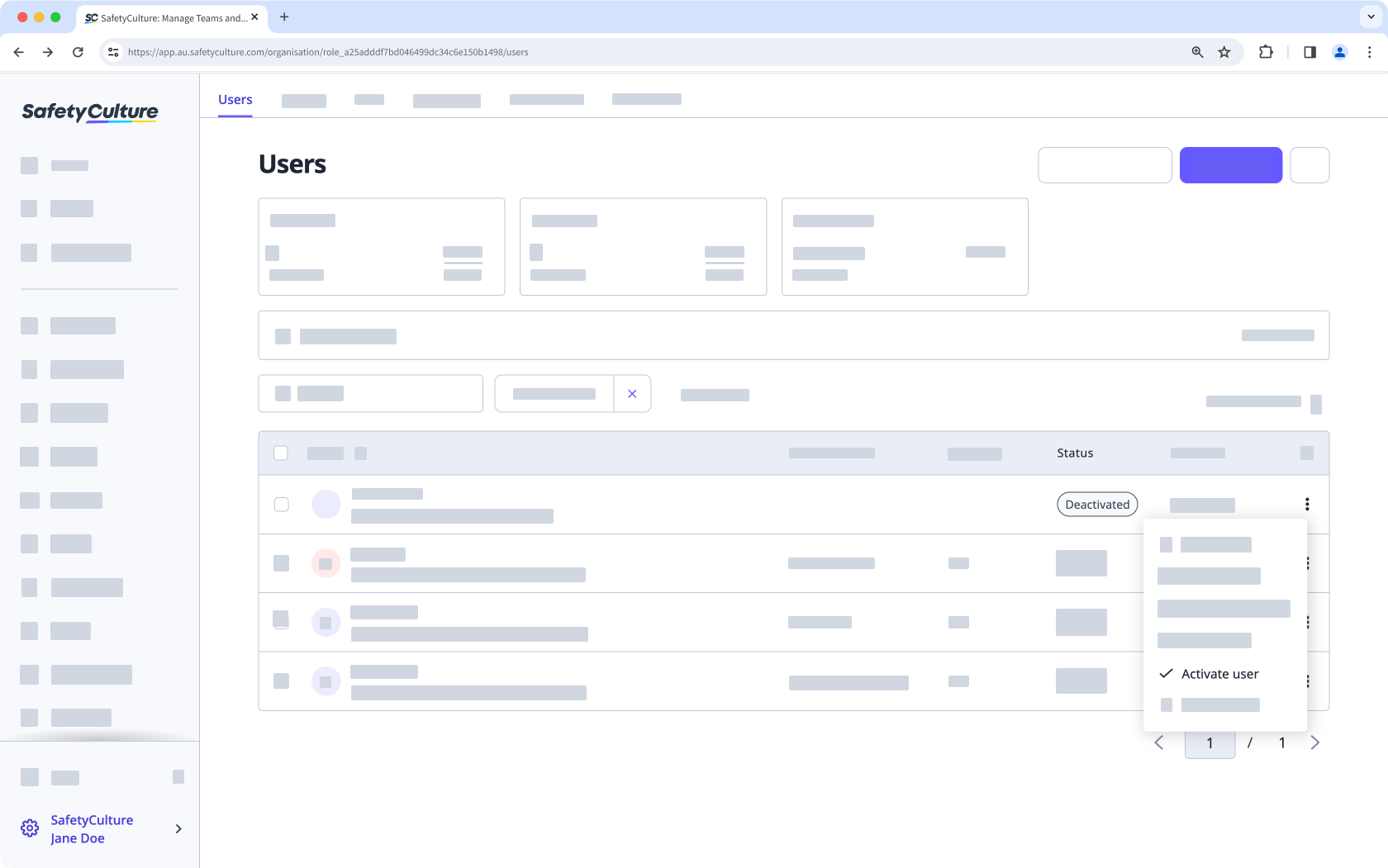
In the pop-up window, click Activate user. If your organization doesn't have seats available, you'll need to purchase additional seats.
Bulk activate deactivated users
Click your organization name on the lower-left of the page and select Users.
Remove the filter for active users to show deactivated users.
Click the checkboxes next to the deactivated users' names and select Activate at the bottom of the page.
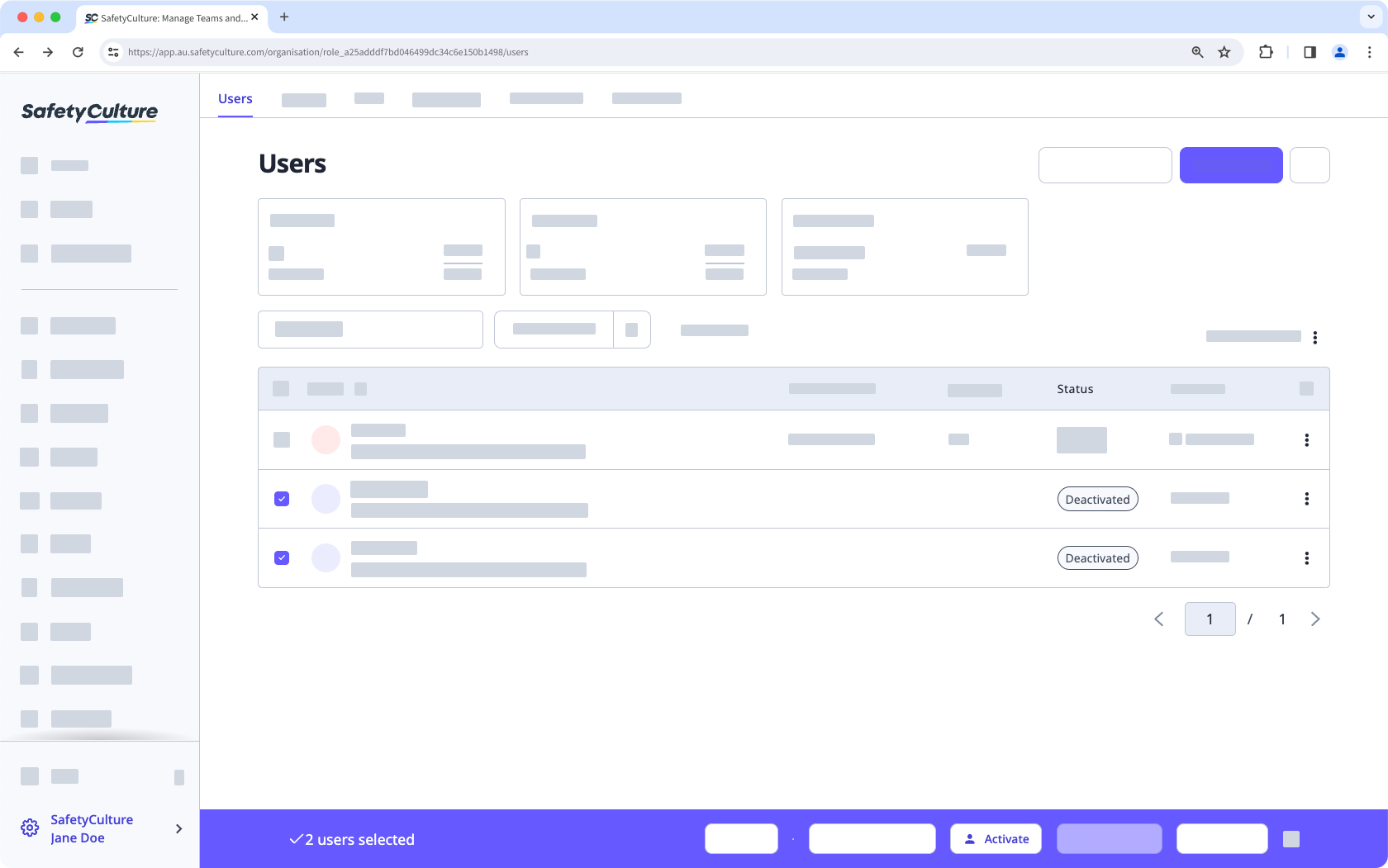
In the pop-up window, click Activate users.
Need more help?
Was this page helpful?