Last updated: August 25, 2026
What are onboarding workflows?
Onboarding workflows guide you through the training courses, credential requirements, and practice scenarios you need to complete before starting your job. They help make sure you are prepared for your role by giving you the right knowledge, skills, and certifications to work safely and confidently.
For example, if you are starting work on a construction site, your workflow might include:
Completing a site induction
Finishing mandatory safety training
Uploading your trade license or certifications
Practicing a scenario to prepare for situations you may encounter in the role.
Having everything in one place helps you stay organized, track your progress, and feel confident that you are ready for day one.
What you'll need
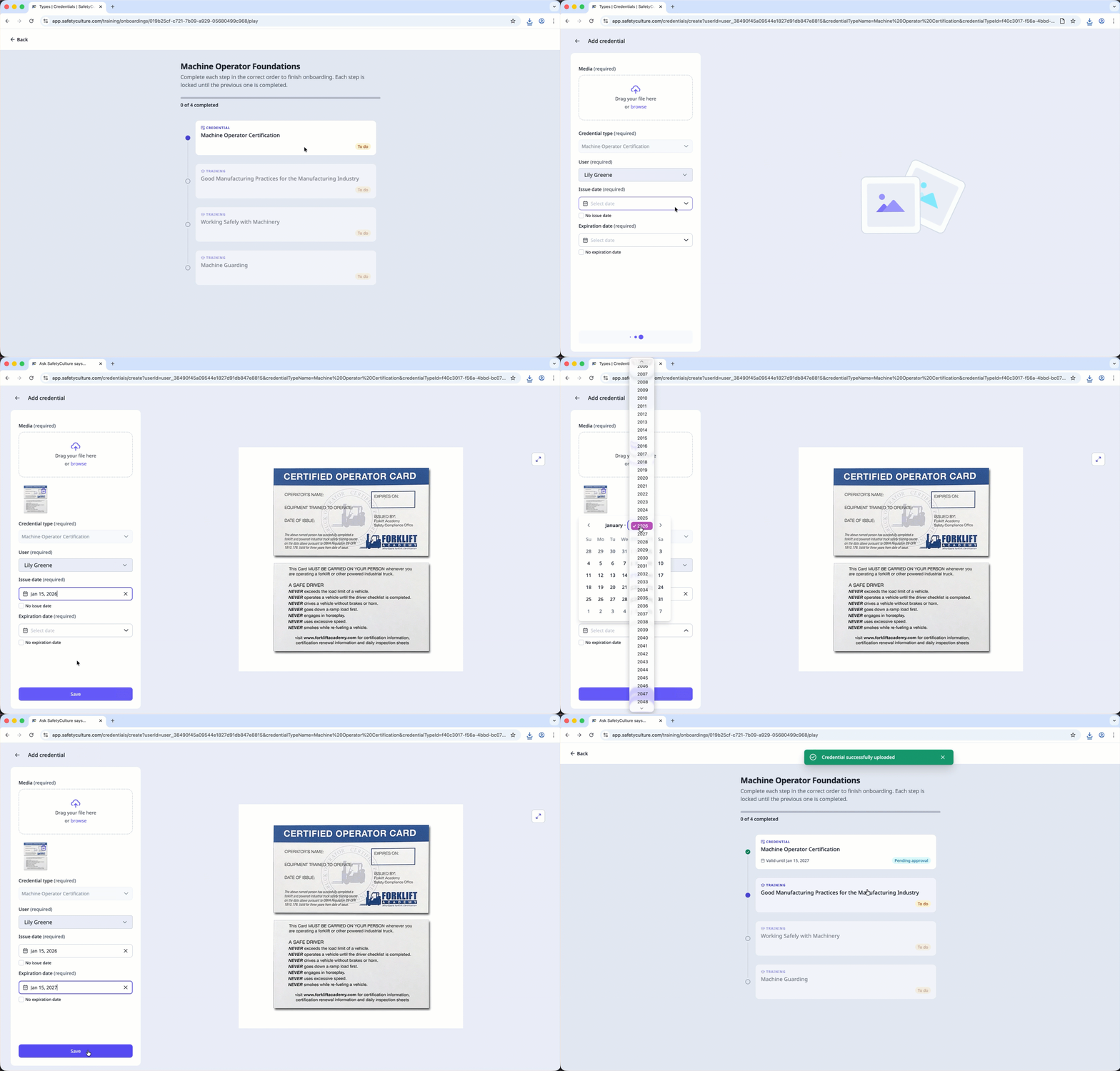
Start and complete an onboarding workflow
Select Training in the sidebar or in More.
If you're on the "Content" page, click Learn at the top of the page.
In the "Onboarding" section, click the assigned onboarding workflow you want to complete.
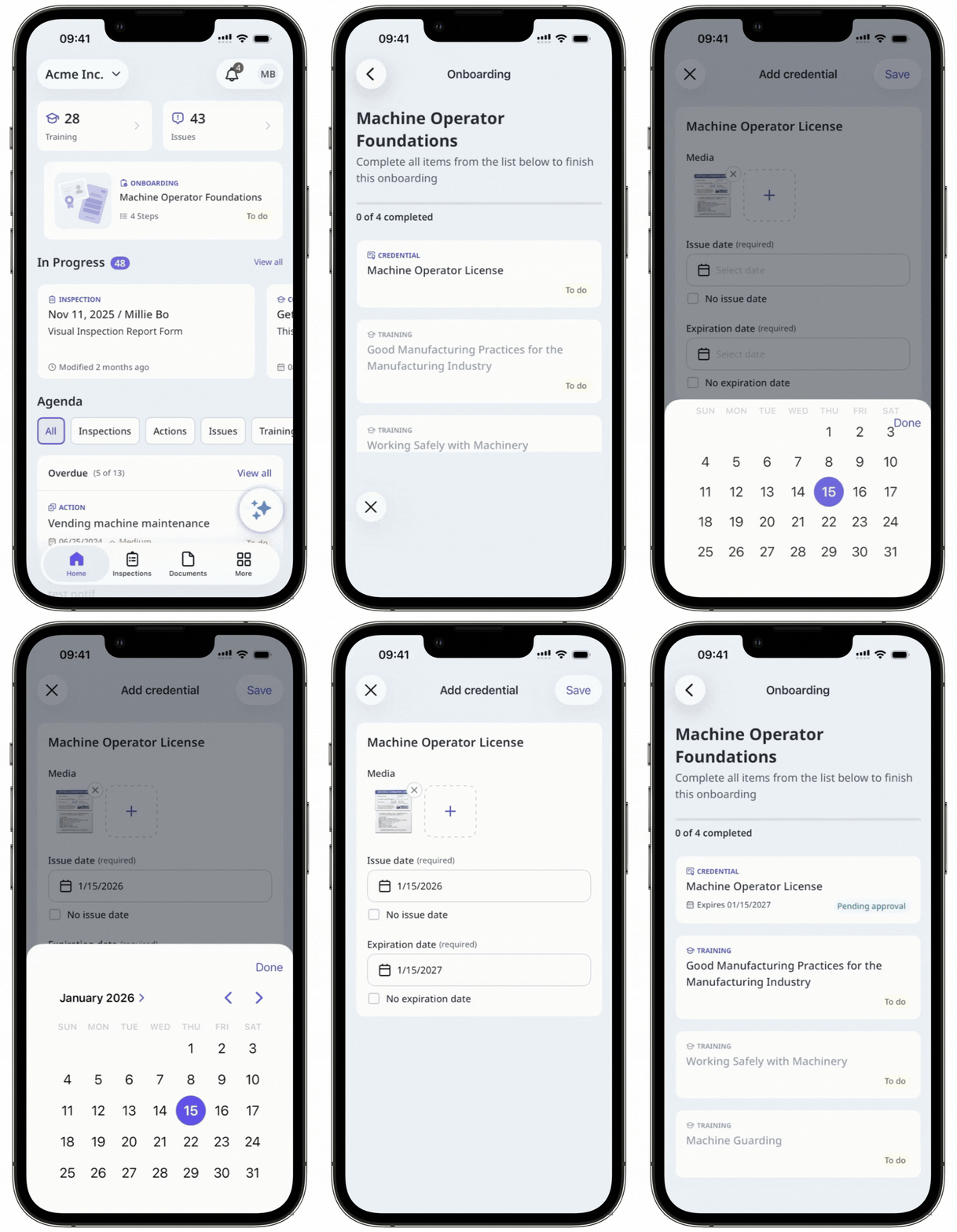
Complete each step in the assigned workflow. Depending on what's assigned, a step might be taking a training course, uploading a credential, or completing a scenario.
Open the mobile app.
Tap Training in the navigation bar or select it from More. If you're currently on Facilitate or Create tab, tap Learn at the top of your screen.
In the "Onboarding" section, tap the assigned onboarding workflow you want to complete.
Complete each step in the assigned workflow. Depending on what's assigned, a step might be taking a training course, uploading a credential, or completing a scenario.
You can also start and complete your onboarding workflows via the enrollment link.
Need more help?
Was this page helpful?
