Última actualización: 18 de agosto de 2026
¿Qué son los Valores de referencia de 5 estrellas en SafetyCulture?
Los Valores de referencia de 5 estrellas le ayudan a comprender el rendimiento de los sitios en toda su organización. Usted establece los criterios de los valores de referencia utilizando las métricas que son importantes para su equipo, como el número de inspecciones, las tasas de finalización, las puntuaciones medias o el número de acciones. Cada sitio recibe automáticamente una calificación en una escala de 5 estrellas, lo que le permite identificar qué sitios funcionan bien y cuáles necesitan atención.
Los análisis generados por IA muestran qué sitios están obteniendo buenos resultados y cuáles no están rindiendo lo suficiente. Utilice estos datos para detectar tendencias, identificar los sitios con mejor rendimiento y centrar los esfuerzos de mejora en aquellos que más lo necesitan.
Su organización debe disponer de al menos 3 sitios con 1 o más inspecciones completadas cada uno en las últimas 9 semanas, para poder ver la información generada por IA para la Evaluación comparativa de sitios.
Exploring 5 Star Benchmarking
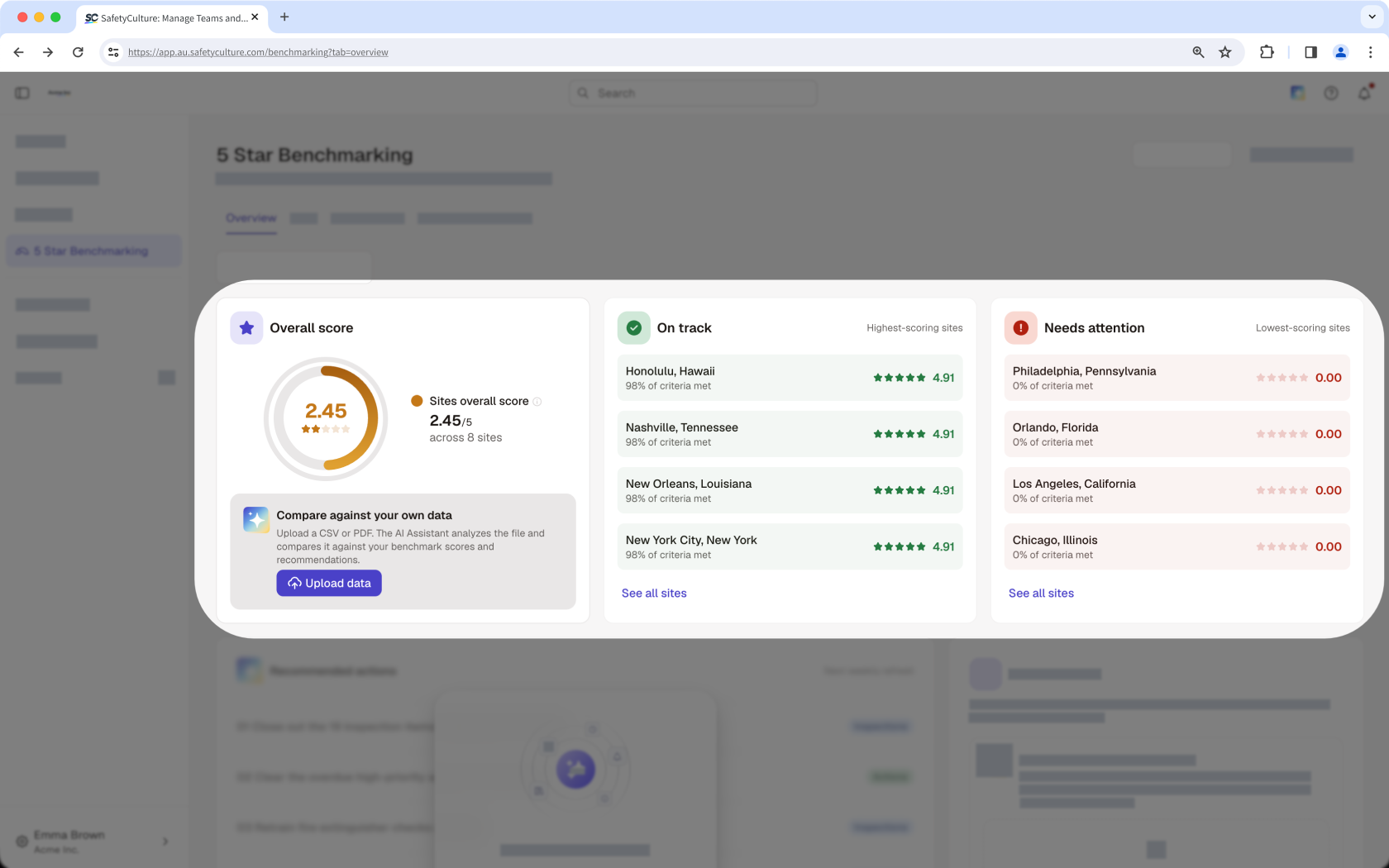
Site performance overview
View a summary of how your organization is performing, with the top five on track, the top five sites that need attention, and the average score across all your sites surfaced together. Rather than checking each site individually, identify where performance is strong and where to prioritize improvement in one place.
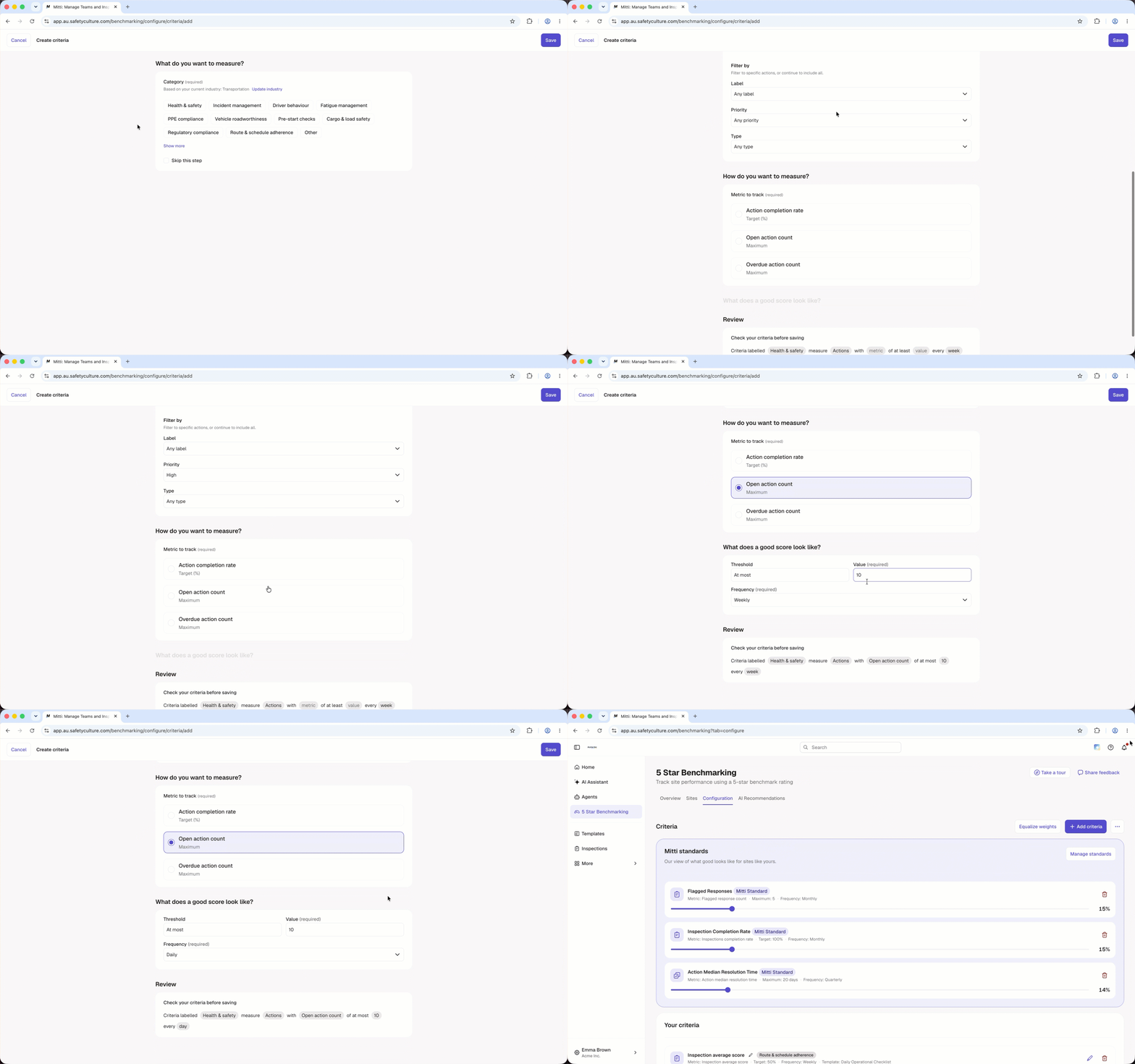
Criteria builder
The criteria builder lets you define good performance on your own terms. Build benchmarking criteria around the metrics that matter most, such as inspection completion or average scores, and assign a weighting to each one so the most important measures carry the biggest impact on a site's overall rating. Applying the same criteria across all sites ensures every location is measured the same way, making comparisons meaningful and consistent.
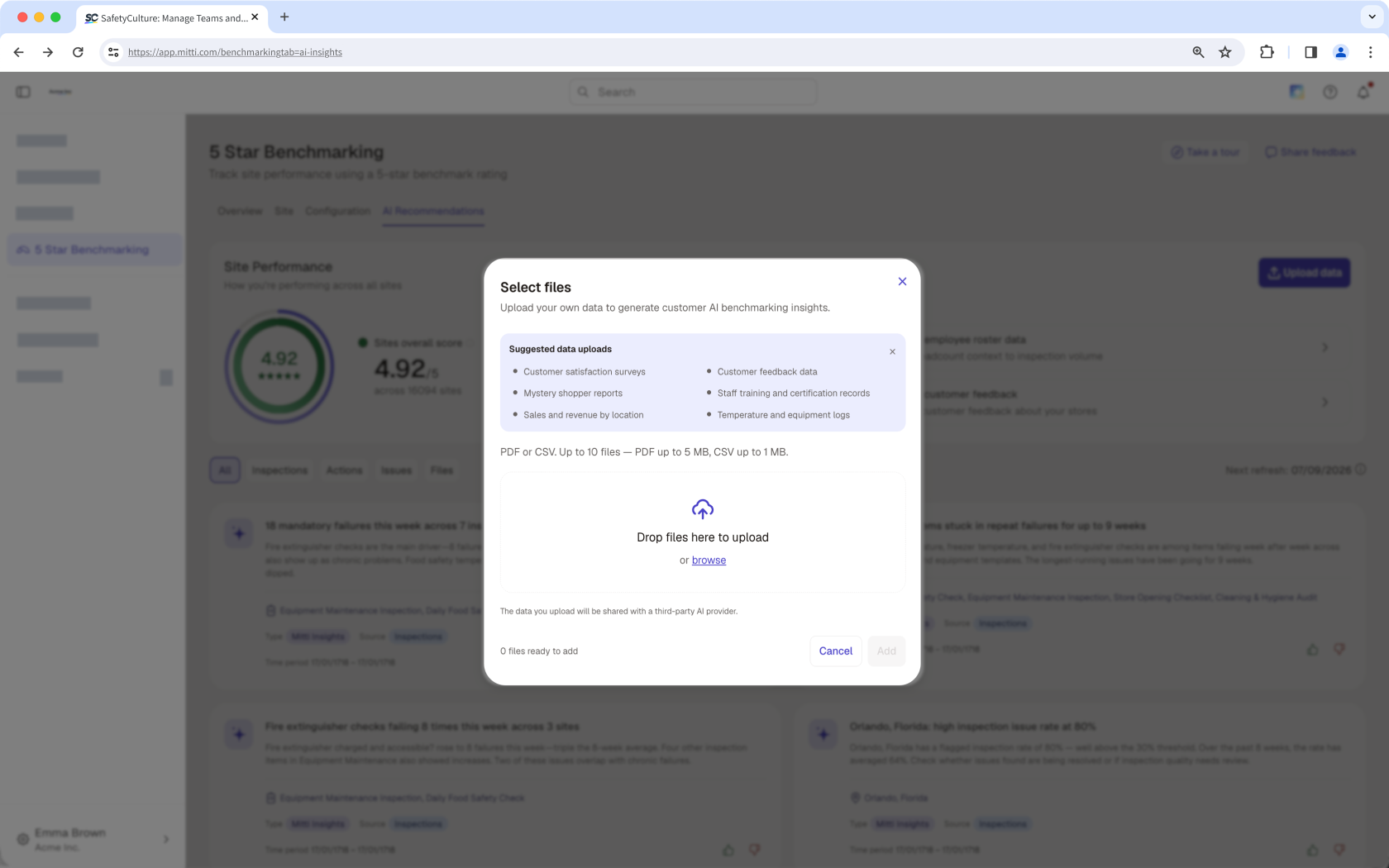
Upload data
Beyond the data already captured in Mitti, you can upload additional files to give the AI more context. The more relevant data you provide, the more detailed and reliable the AI-generated insights become. A Data Strength indicator shows how much your uploaded data contributes to those insights, so you know how much to rely on them.
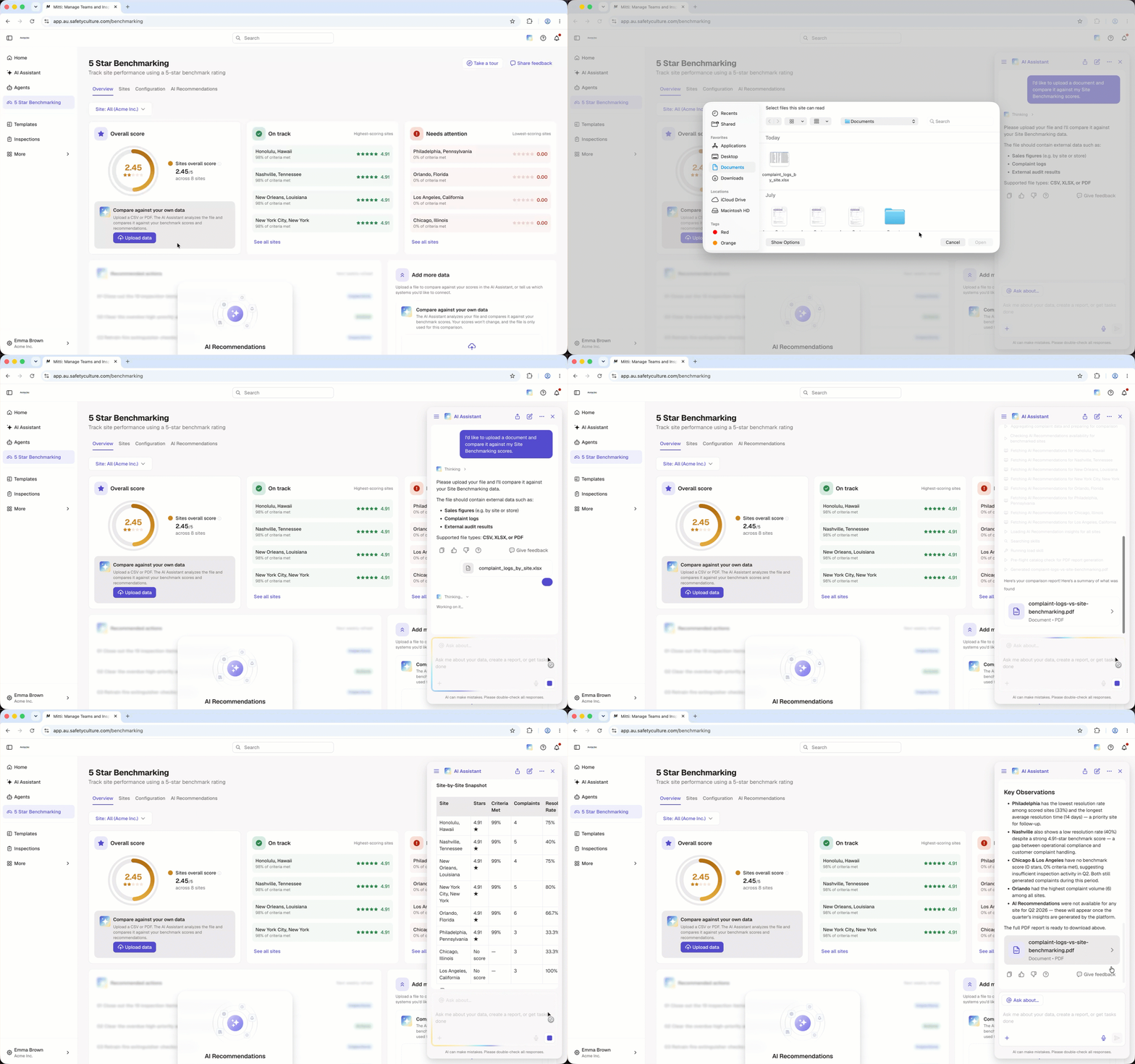
Data comparison
Use data you already track, such as sales figures, complaint logs, or audit results. Upload a file, and the AI Assistant compares your file with your benchmark score and AI Recommendations. You get a comparison and recommended actions, so you can see how your data matches your score.
Site leaderboard
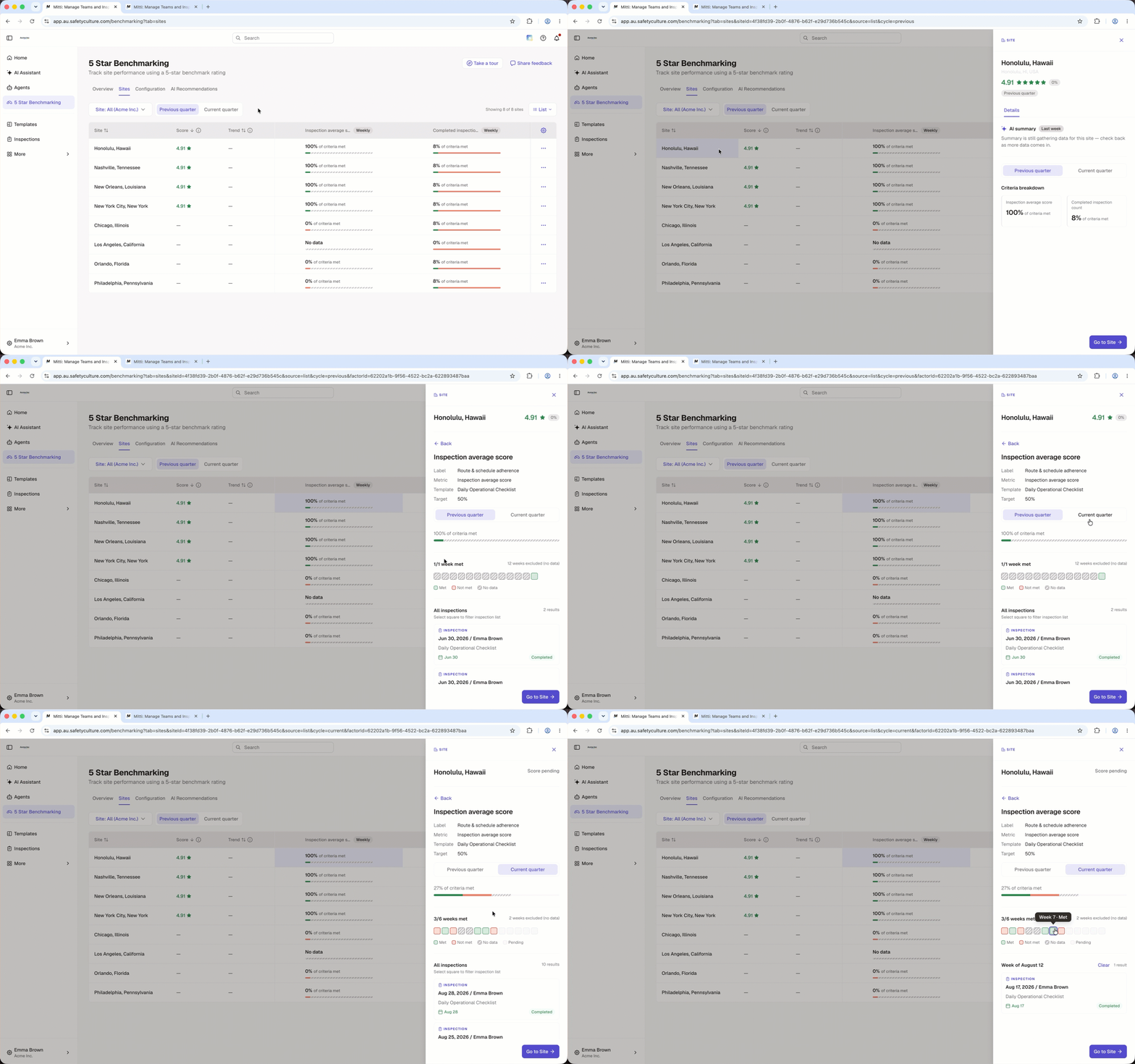
The site leaderboard ranks every site in your organization by its benchmarking rating, so you can compare performance across locations from a single view. Toggle between the previous and current quarter to track how ratings shift over time, and open any site to review summary insights and a breakdown by criteria.
AI-generated insights
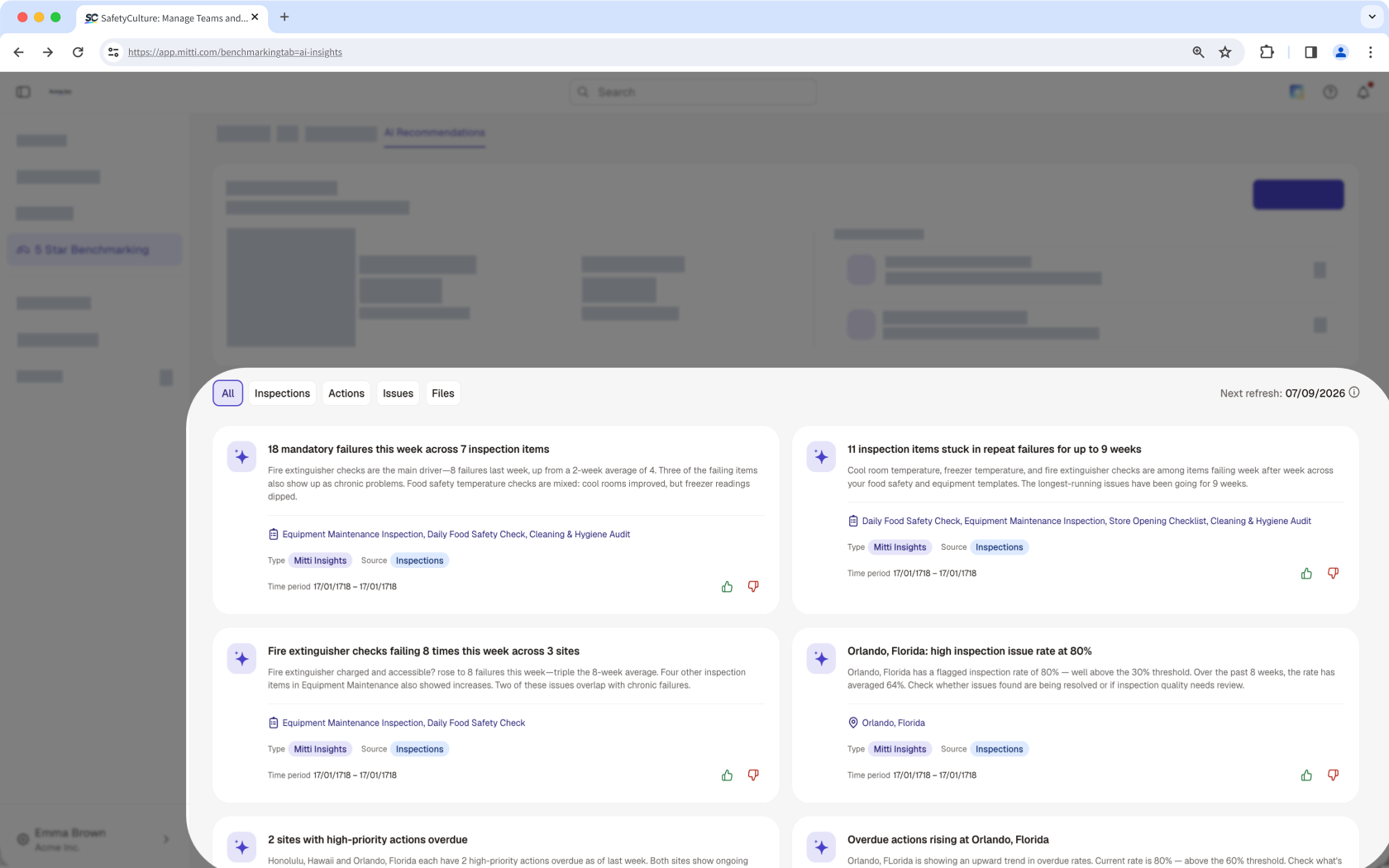
AI Recommendations help you spot patterns across your sites, recognize strong performers, and know where to focus your efforts before problems escalate. Each card highlights a specific insight, so you can quickly understand a site's performance and decide on next steps. AI Recommendations also appear as actions in the Recommended actions tile on the Overview tab, so you know what to do next.
¿Necesitas más ayuda?
¿Fue útil esta página?
